
So, you’ve embarked on the journey of building your online presence, and you’ve chosen Kajabi as your platform of choice. Smart move! Kajabi is a powerhouse when it comes to creating, marketing, and selling your digital products or services. One of the fundamental aspects of Kajabi is its funnel-building capability, allowing you to guide your audience through a seamless journey towards conversion. In this guide, we’ll walk you through the simple steps of adding a page to a funnel in Kajabi, empowering you to craft compelling user experiences and drive results.
Table of Contents
Understanding Funnel Building in Kajabi
Before we delve into the nitty-gritty of adding pages to your funnel, let’s quickly brush up on what a funnel is in the context of Kajabi. In simple terms, a funnel is a series of interconnected pages designed to lead your visitors towards a specific goal, such as making a purchase or signing up for your email list. Think of it as a virtual pathway that directs your audience from initial awareness to eventual conversion.
Kajabi offers a user-friendly funnel builder tool that simplifies the process of creating and customizing your funnels. Whether you’re a seasoned marketer or a novice entrepreneur, Kajabi’s intuitive interface makes funnel building a breeze.
Step-by-Step Guide: Adding a Page to Your Funnel
Now, let’s get down to business. Here’s a step-by-step walkthrough of how to add a page to your funnel in Kajabi:
- Log in to Your Kajabi Account: Start by logging in to your Kajabi dashboard. If you haven’t already signed up for an account, you can do so on the Kajabi website.
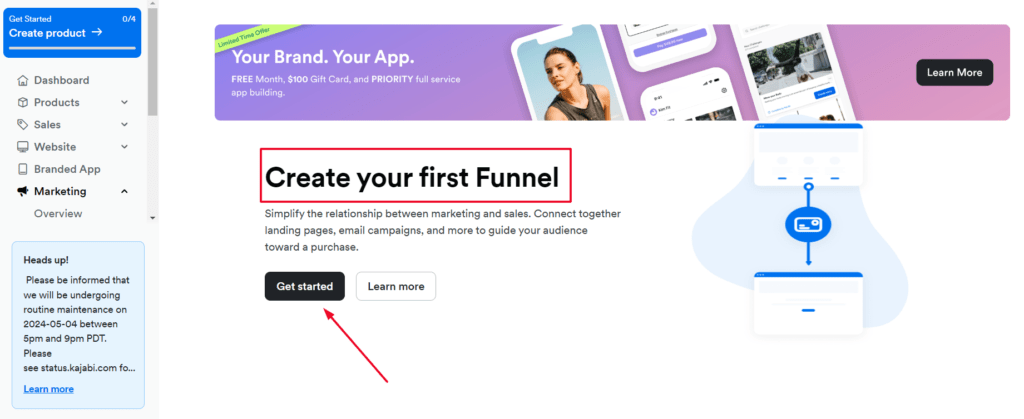
- Navigate to the Funnels Tab: Once you’re logged in, navigate to the “Funnels” tab on the dashboard. Here, you’ll see a list of your existing funnels as well as the option to create a new one.
- Select Your Funnel: Choose the funnel to which you want to add a page. If you’re creating a new funnel, follow the prompts to set it up according to your objectives.
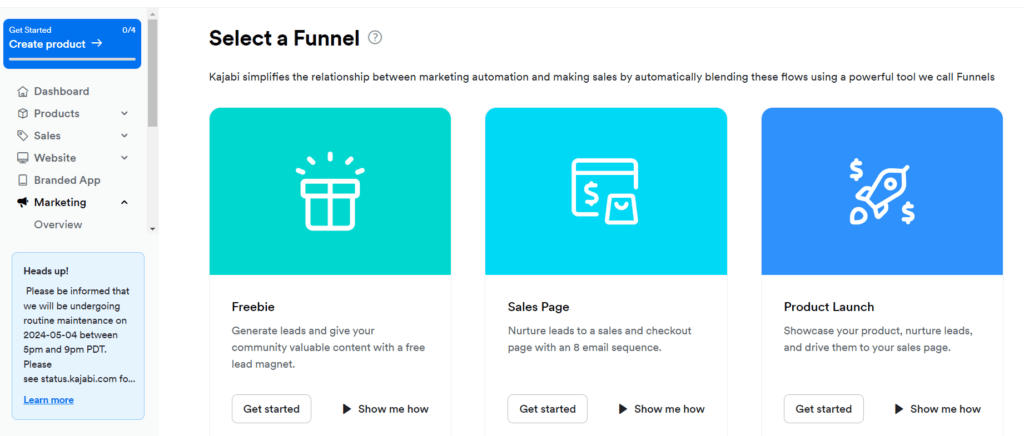
- Click on “Edit” or “Add Page”: Within your selected funnel, locate the option to edit the funnel or add a new page. This will typically be indicated by a button or link labeled “Edit” or “Add Page.”
- Choose Page Type: Kajabi offers various types of pages to suit your needs, including sales pages, opt-in pages, thank you pages, and more. Select the type of page you wish to add to your funnel.
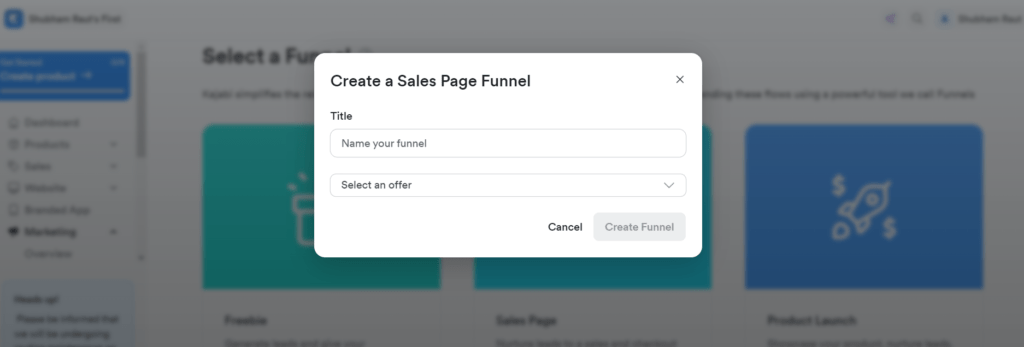
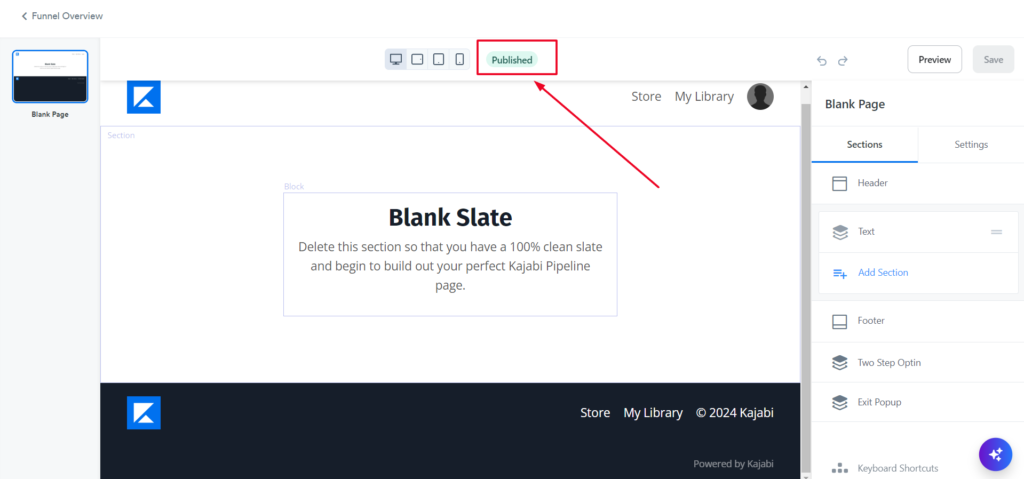
- Customize Your Page: Once you’ve chosen the page type, you’ll be directed to the page editor interface. Here, you can customize the content, layout, design, and settings of your page to align with your brand and messaging.
- Save Your Changes: Once you’re satisfied with the page design and settings, be sure to save your changes. Kajabi typically provides an option to save or publish your page, depending on whether you’re ready to make it live.
- Review and Test: Before finalizing your page addition, take some time to review it thoroughly. Check for any errors, typos, or formatting issues, and ensure that all links and buttons are functioning correctly. It’s also a good idea to test the page on different devices to ensure optimal display and functionality.
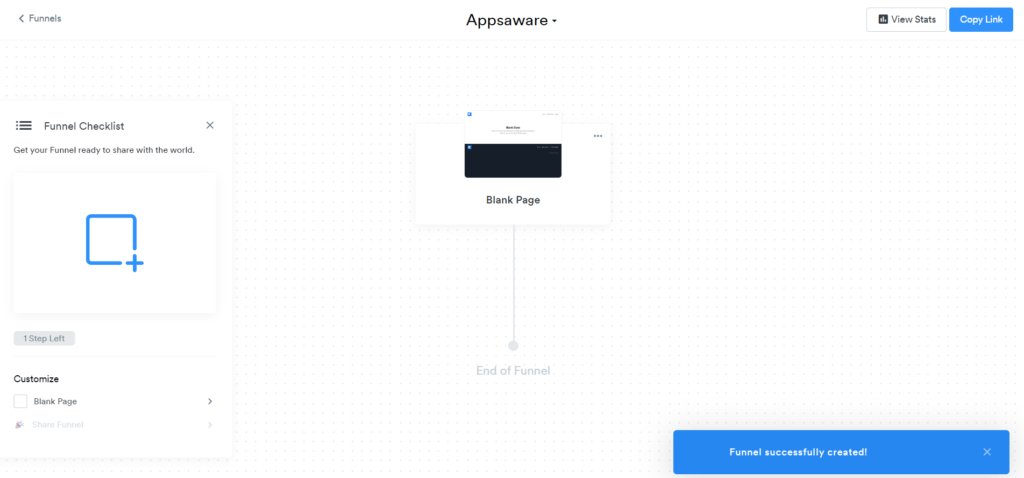
- Publish Your Funnel: Once everything looks good to go, publish your updated funnel to make it live. Your newly added page is now part of your funnel, ready to engage and convert your audience.
Conclusion
Adding a page to a funnel in Kajabi is a straightforward process that empowers you to create tailored user experiences and drive conversions effectively. By following the simple steps outlined in this guide, you can seamlessly expand your funnel and optimize your online presence for success. So, what are you waiting for? Dive into your Kajabi dashboard and start crafting compelling pages that resonate with your audience and propel your business forward.
FAQs
1. Can I add multiple pages to a single funnel in Kajabi?
Yes, absolutely! Kajabi allows you to add multiple pages to a single funnel, enabling you to create comprehensive user journeys that cater to different stages of the conversion process.
2. Is it possible to customize the design of my funnel pages in Kajabi?
Yes, Kajabi offers extensive customization options for your funnel pages, allowing you to tailor the design, layout, colors, fonts, and more to match your brand aesthetic and messaging.
3. Can I track the performance of my funnel pages in Kajabi?
Yes, Kajabi provides robust analytics and reporting features that allow you to track the performance of your funnel pages in real-time. You can monitor metrics such as traffic, conversions, bounce rates, and more to gain valuable insights into your funnel’s effectiveness.
4. Are there any additional tools or integrations I can use to enhance my funnel in Kajabi?
Yes, Kajabi offers a wide range of integrations with third-party tools and services, allowing you to further enhance your funnel with features such as email marketing, payment processing, membership management, and more.
5. Can I create mobile-responsive pages in Kajabi?
Yes, all pages created in Kajabi are automatically optimized for mobile devices, ensuring a seamless and user-friendly experience for visitors accessing your funnel from smartphones or tablets.

Shiraz Qamar is a seasoned expert in software and technology content, with years of hands-on experience in reviewing software and leveraging it to drive business success. His deep understanding of tech trends, user needs, and business applications enables him to deliver insightful reviews and practical advice. Whether evaluating the latest tools or optimizing solutions for real-world challenges, Shiraz's expertise bridges the gap between innovation and usability, empowering businesses to thrive in a tech-driven world.