If you’re in the online business world, you’ve likely heard about Kajabi. It’s a popular platform for creating, marketing, and selling online courses, membership sites, and digital products. One common question that arises when considering Kajabi is its integration capabilities. In this comprehensive guide, we’ll delve into the world of Kajabi integrations to understand what they are, how they work, and what options are available to enhance your Kajabi experience.
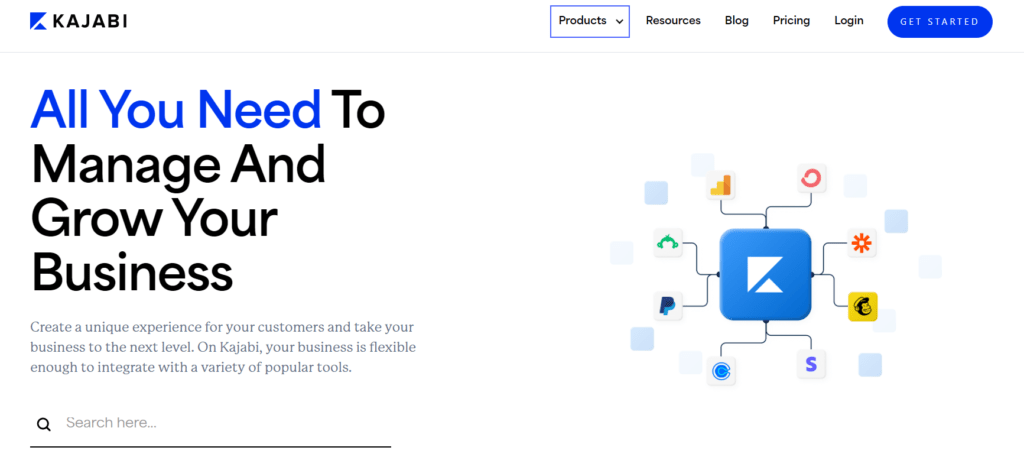
Table of Contents
What Are Integrations?
Before we dive into the specifics of Kajabi’s integrations, let’s first understand what integrations actually are. Integrations refer to the ability of a software platform to connect and work seamlessly with other tools or services. In the case of Kajabi, integrations allow users to extend the functionality of the platform by connecting it to third-party apps, services, or tools.
The Importance of Integrations
Integrations play a crucial role in maximizing the capabilities of a platform like Kajabi. They allow users to streamline workflows, automate processes, and access additional features that may not be available within the platform itself. By integrating Kajabi with other tools, users can create a more efficient and effective online business ecosystem.
Types of Integrations in Kajabi
Kajabi offers integrations across various categories to cater to different business needs. Some of the key types of integrations available with Kajabi include:
- Email Marketing Integrations: These integrations allow users to connect Kajabi with popular email marketing platforms such as Mailchimp, ConvertKit, and ActiveCampaign. This enables seamless communication with your audience and facilitates email list management.
- Payment Gateway Integrations: To monetize your content on Kajabi, you’ll need a reliable payment gateway integration. Kajabi supports integrations with leading payment processors like PayPal and Stripe, making it easy to accept payments from your customers.
- CRM Integrations: Customer Relationship Management (CRM) integrations enable you to sync customer data between Kajabi and your CRM platform. This ensures that you have a centralized database of customer information and can effectively manage customer relationships.
- Analytics and Reporting Integrations: Integrating Kajabi with analytics and reporting tools allows you to track the performance of your online courses, membership sites, and digital products. Tools like Google Analytics or Kajabi’s own analytics features can provide valuable insights into user behavior and engagement.
- Automation Integrations: Automation integrations empower you to automate repetitive tasks and workflows, saving time and effort. By connecting Kajabi with automation tools like Zapier, you can create automated processes that trigger actions based on specific events or conditions.
Popular Integrations for Kajabi
Now that we’ve covered the types of integrations available let’s take a closer look at some popular integrations for Kajabi:
| Integration Name | Description |
|---|---|
| Mailchimp | Email marketing and automation platform |
| ConvertKit | Email marketing and automation platform |
| ActiveCampaign | Email marketing and automation platform |
| PayPal | Online payment processing |
| Stripe | Online payment processing |
| Salesforce | CRM platform |
| HubSpot | CRM platform and marketing automation |
| Google Analytics | Web analytics and reporting |
| Zapier | Automation platform |
How to Integrate Kajabi with Third-Party Tools
Integrating Kajabi with third-party tools is typically a straightforward process. Here’s a general overview of how it’s done:
- Access Integrations Settings: In your Kajabi dashboard, navigate to the integrations settings section.
- Select Integration: Choose the integration you want to set up from the list of available options.
- Follow Setup Instructions: Follow the on-screen instructions to connect Kajabi with the selected integration. This may involve logging into your account for the third-party tool and granting permissions for the integration.
- Configure Settings: Once connected, configure any settings or preferences for the integration as needed.
- Test Integration: Test the integration to ensure that data is syncing correctly and that the integration is functioning as expected.
Conclusion
In conclusion, Kajabi offers a wide range of integrations to enhance its functionality and meet the diverse needs of online businesses. Whether you’re looking to streamline your email marketing efforts, optimize payment processing, or automate workflows, there’s likely an integration available to help you achieve your goals. By leveraging integrations effectively, you can unlock the full potential of Kajabi and create a seamless online business experience for yourself and your customers.
FAQs
1. Can I integrate Kajabi with my existing website?
- Yes, Kajabi offers embeddable features that allow you to seamlessly integrate your Kajabi content with your existing website.
2. Are there any additional costs associated with using integrations with Kajabi?
- While many integrations with Kajabi are free to use, some may require a subscription or incur additional costs. Be sure to check the pricing details of each integration before enabling it.
3. Can I create custom integrations with Kajabi?
- Yes, Kajabi provides an API (Application Programming Interface) that allows developers to create custom integrations with the platform.
4. How often does Kajabi add new integrations?
- Kajabi is continuously updating and improving its platform, including adding new integrations based on user feedback and market trends.
5. Are integrations supported on all Kajabi plans?
- Most integrations are available across all Kajabi plans, but certain advanced integrations may be limited to higher-tier plans. Be sure to check the specific details of each integration and your Kajabi plan.

Shiraz Qamar is a seasoned expert in software and technology content, with years of hands-on experience in reviewing software and leveraging it to drive business success. His deep understanding of tech trends, user needs, and business applications enables him to deliver insightful reviews and practical advice. Whether evaluating the latest tools or optimizing solutions for real-world challenges, Shiraz's expertise bridges the gap between innovation and usability, empowering businesses to thrive in a tech-driven world.