When it comes to choosing between Builderall vs HubSpot, the decision often boils down to your business type, size, and goals. Builderall offers a wide range of tools under one roof, designed primarily for solopreneurs, digital marketers, and small businesses who need a cost-effective solution that includes website builders, email marketing, and sales funnels. On the flip side, HubSpot caters to medium to large businesses with a focus on CRM, marketing automation, and data-driven lead nurturing.
According to HubSpot’s official newsroom, the platform serves over 143,000 customers across 120 countries, making it one of the most dominant forces in the CRM and inbound marketing space.
Table of Contents
A Quick Comparison Overview
Both Builderall and HubSpot are robust platforms but serve different user needs. Builderall emphasizes affordability and versatility with its suite of drag-and-drop tools and marketing features. HubSpot, meanwhile, offers scalability and enterprise-grade tools for growing teams and companies that want to focus on advanced inbound marketing and sales automation.
| Category | Builderall | HubSpot |
| Purpose | All-in-one marketing & design platform | CRM & marketing automation powerhouse |
| Best Suited For | Entrepreneurs, solopreneurs, startups | Mid-large businesses, B2B companies |
| Free Plan | No | Yes |
| Price Range | $17.90 – $87.90/month | $0 – $3,200+/month |
| Funnel Building | Built-in with templates | Requires integrations or workarounds |
| CRM Functionality | Basic | Comprehensive |

What is Builderall?
Builderall is an all-encompassing digital marketing toolkit designed to help users build and grow their online presence without needing multiple third-party apps. Its suite includes everything from funnel creation and website builders to email marketing and webinar hosting. Builderall’s strength lies in its ability to give small businesses and freelancers the power to execute complex marketing campaigns on a tight budget. Unlike traditional tools that require integrations and upgrades, Builderall offers a one-stop-shop for online growth.
| Feature | Builderall |
| Funnel & Website Builder | Cheetah Builder (drag-and-drop) |
| Email Marketing | MailingBoss |
| Webinar Tool | Included |
| Membership Site Tools | Built-in |
| eCommerce | Yes, with payment integrations |
| Mobile Responsiveness | Yes |
| AI Tools | Limited (still improving) |
What is HubSpot?
HubSpot is known as a CRM-first platform that has grown into a full-scale inbound marketing, sales, and service powerhouse. The platform offers an ecosystem of “Hubs”—Marketing, Sales, Service, CMS, and Operations—allowing users to manage the customer journey from start to finish. Its robust automation tools, high-level analytics, and extensive integrations make it an excellent choice for businesses serious about long-term growth, especially in the B2B world. While the pricing can be steep, the depth and precision of HubSpot’s features are hard to beat.
| Feature | HubSpot |
| CRM | Included, very powerful |
| Marketing Automation | Advanced, with workflows |
| Blog & SEO Tools | Built-in |
| Lead Scoring | Yes |
| A/B Testing | Yes, with higher-tier plans |
| CMS | Yes, separate hub |
| Integration Marketplace | 1,000+ apps |
User Interface & Ease of Use
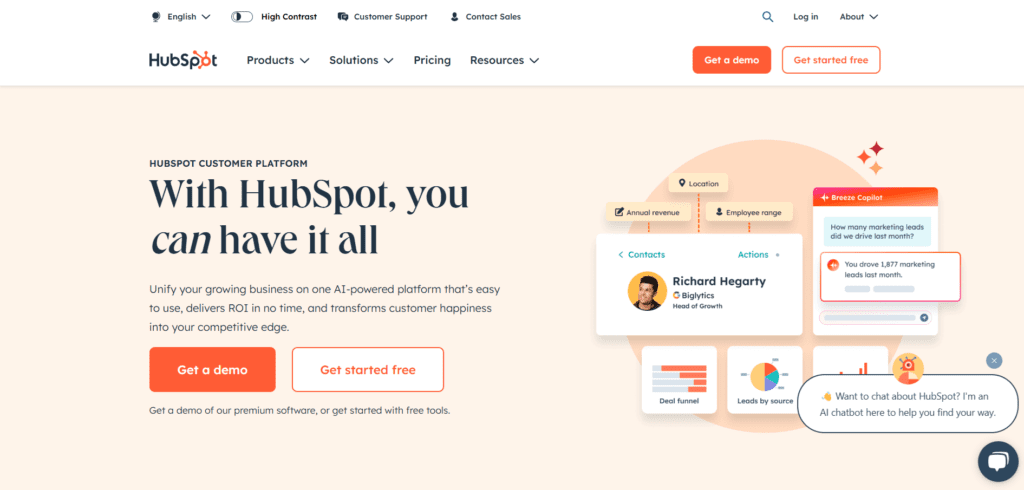
Builderall’s interface provides lots of flexibility, but that can be a double-edged sword. With so many tools in one dashboard, newcomers may find the learning curve a bit steep. That said, once you get the hang of it, you can move fast. HubSpot, by contrast, offers a streamlined, professional interface. From CRM to email marketing to dashboards, everything is intuitive and logically placed. Plus, its educational content makes the learning process even smoother.
| User Experience Aspect | Builderall | HubSpot |
| Interface Style | Feature-rich but slightly cluttered | Clean, modern, and user-friendly |
| Learning Curve | Moderate to high | Low to moderate |
| Onboarding Resources | Tutorials, PDFs | In-depth academy, community forums |
🏆 Winner: HubSpot
Online Courses and Memberships
Builderall includes course creation features and membership site tools natively. This makes it a great fit for online educators or coaches who want to manage content and users in one dashboard. HubSpot, however, doesn’t natively support course creation. If you want to sell courses, you’ll need to integrate with platforms like Thinkific or Teachable, which adds complexity and cost.
| Feature | Builderall | HubSpot |
| Native Course Creation | Yes | No |
| Membership Tools | Yes | Limited via CMS |
| Integration Needed? | No | Yes (third-party required) |
🏆 Winner: Builderall
Email Marketing & Automation
Both platforms offer email marketing, but the depth of automation is where HubSpot excels. Builderall’s MailingBoss is effective for basic autoresponders and sequences, but lacks the robust personalization and behavior-based triggers that HubSpot offers. HubSpot users can create multi-stage workflows, trigger campaigns based on contact behavior, and conduct advanced A/B testing.
| Feature | Builderall | HubSpot |
| Email Editor | Drag-and-drop | Smart blocks + dynamic content |
| Workflow Automation | Basic to intermediate | Advanced |
| Segmentation Options | Limited | Extensive |
| AI Suggestions | No | Yes (in higher-tier plans) |
🏆 Winner: HubSpot
Sales Funnels & Landing Pages
Builderall offers an extensive funnel-building experience with dozens of pre-made templates and intuitive flow control. HubSpot supports landing pages, but doesn’t focus on funnel creation per se. Users may need to piece together funnels using different tools or use external apps.
| Feature | Builderall | HubSpot |
| Funnel Templates | Dozens available | Basic templates |
| Landing Page Builder | Yes, drag-and-drop | Yes, but more limited |
| Visual Funnel Mapping | Yes | No |
🏆 Winner: Builderall
Community, Design & Customization
Builderall provides extensive customization options—fonts, layouts, animations, and custom code. Plus, their community is highly active and supportive, especially on Facebook and YouTube. HubSpot keeps things professional and standardized, which is great for branding consistency but offers less creative freedom. That said, their design templates are clean and polished.
| Feature | Builderall | HubSpot |
| Custom Design Flexibility | High | Moderate |
| Template Availability | Wide variety | Premium templates |
| Community Support | Strong, especially on social media | Large but more formal |
🏆 Winner: Builderall
Integrations and Third-Party Compatibility
When it comes to integrations, HubSpot clearly stands out. The platform boasts a massive marketplace with over 1,000 apps, from CRM tools and email platforms to ecommerce systems and analytics dashboards. Everything is built with seamless connectivity in mind. That’s one of HubSpot’s greatest advantages—it easily becomes the central hub of your marketing tech stack. Builderall, on the other hand, offers some key integrations, but the list is far more limited. While they do support APIs and webhooks for custom integrations, the process isn’t as smooth or beginner-friendly.
| Integration Capability | Builderall | HubSpot |
| App Marketplace | Limited | Extensive (1000+ integrations) |
| API Support | Yes | Yes |
| E-commerce Integration | Yes (Stripe, PayPal) | Yes (Shopify, WooCommerce, etc.) |
| CRM & Analytics Add-ons | Limited | Wide range available |
🏆 Winner: HubSpot
Analytics & Reporting
Understanding what works (and what doesn’t) in your marketing is critical. HubSpot delivers advanced reporting with real-time dashboards, customizable metrics, funnel analytics, and campaign performance insights. You can track everything from email open rates to lifecycle stages and revenue attribution. Builderall has a decent analytics system, especially when it comes to funnel performance, email open rates, and site behavior. However, it lacks the depth and granularity HubSpot provides, particularly when you’re managing larger teams or handling complex campaigns.
| Analytics Feature | Builderall | HubSpot |
| Custom Reports | Basic | Advanced, customizable |
| Real-time Dashboards | Yes | Yes |
| Funnel Tracking | Yes | Yes |
| ROI Tracking | Limited | Yes, in higher plans |
🏆 Winner: HubSpot
SEO Tools
Builderall includes basic SEO tools like meta tag editing, keyword settings, and SSL certificates. These are sufficient for smaller websites or landing pages but don’t provide in-depth SEO strategy features. HubSpot, on the other hand, shines in this department. With built-in blog optimization tools, on-page SEO suggestions, keyword tracking, and topic clustering, HubSpot makes it easier for marketers to plan and execute a long-term SEO strategy.
| SEO Feature | Builderall | HubSpot |
| Keyword Recommendations | No | Yes |
| On-page SEO Suggestions | No | Yes |
| Blog Optimization | Basic blog setup | Fully integrated, optimized CMS |
| SEO Audit Tools | Limited | Included in Marketing Hub |
🏆 Winner: HubSpot
Customer Support
Builderall offers 24/7 support, but it’s primarily chat-based, and depending on your plan, you might experience delayed response times. Their knowledge base is growing, and the community is quite active. However, HubSpot takes support to another level with tiered customer service depending on your subscription, access to dedicated account managers, live chat, email support, and an extensive learning academy.
| Support Feature | Builderall | HubSpot |
| 24/7 Availability | Yes | Limited (varies by plan) |
| Live Chat | Yes | Yes |
| Phone Support | No | Yes (with higher tiers) |
| Training Resources | Moderate | HubSpot Academy, certifications |
🏆 Winner: HubSpot
Pricing & Value for Money
Builderall’s pricing is its strongest suit. With plans starting as low as $17.90/month, it’s incredibly cost-effective for small businesses that want access to many tools without breaking the bank. HubSpot offers a free CRM and limited features in its basic plan, but its true power only unlocks with Pro or Enterprise plans, which can cost thousands per month. If you’re just starting out or need to manage costs, Builderall is a steal. But if you want power, automation, and scalability, HubSpot’s higher price is justified.
| Pricing Tier | Builderall | HubSpot |
| Free Plan | No | Yes (CRM, limited tools) |
| Starting Paid Plan | $17.90/month | $50/month (basic) |
| Highest Tier | $87.90/month | $3,200+/month (Enterprise) |
| Value for Small Businesses | Excellent | Decent, but expensive |
🏆 Winner: Builderall (for budget); HubSpot (for features)
Final Verdict: Which One Should You Choose?
The answer depends on where you are in your business journey. If you’re a solopreneur, digital marketer, or a small business looking for an all-in-one solution without the big price tag, Builderall is a great choice. It gives you access to essential tools like funnel builders, email marketing, and website hosting—all under one roof. However, if you’re managing a growing company or enterprise, and you need deep analytics, advanced automation, robust CRM capabilities, and long-term scalability, then HubSpot is worth the investment. The platform is simply more powerful, more integrated, and more suited for complex marketing operations.
Pro Tip:
If you’re unsure which one to pick, try out HubSpot’s free CRM alongside Builderall’s free trial to test both systems side by side. Use them for a week with a test campaign. You’ll quickly learn which platform aligns with your needs and workflow style.
FAQs
1. Can Builderall replace HubSpot for a small business?
Yes, if your needs are basic and you want to avoid multiple subscriptions, Builderall can be a solid alternative to HubSpot.
2. Is HubSpot worth the high price tag?
Absolutely—for mid to large businesses that need automation, CRM, reporting, and a scalable platform, HubSpot offers immense value.
3. Does Builderall offer CRM features like HubSpot?
Builderall has basic CRM capabilities, but they’re not as advanced or scalable as what HubSpot offers.
4. Which platform is better for funnels and landing pages?
Builderall wins here—it provides more templates, customization, and a visual funnel builder.
5. Do I need technical skills to use either platform?
Both platforms are beginner-friendly, but Builderall might feel overwhelming at first due to its vast toolset. HubSpot is more intuitive out of the box.

Romil Aggrawal is a skilled Technical Content Writer and SEO Expert with a passion for simplifying complex concepts. With years of experience in crafting engaging, user-friendly content, Romil has personally tested and reviewed a wide range of tools and software to deliver in-depth, honest insights. His expertise in SEO ensures that his content not only informs but also ranks, helping businesses reach their audience effectively. Romil's dedication to quality and attention to detail make him a trusted voice in the tech and digital marketing space.