
In the digital landscape, where capturing leads and converting them into customers is paramount, having an effective landing page strategy is crucial. AWeber, a prominent name in the realm of email marketing solutions, offers a range of features tailored to create impactful landing pages. But before delving into the specifics of AWeber’s landing page features, let’s establish a foundational understanding.
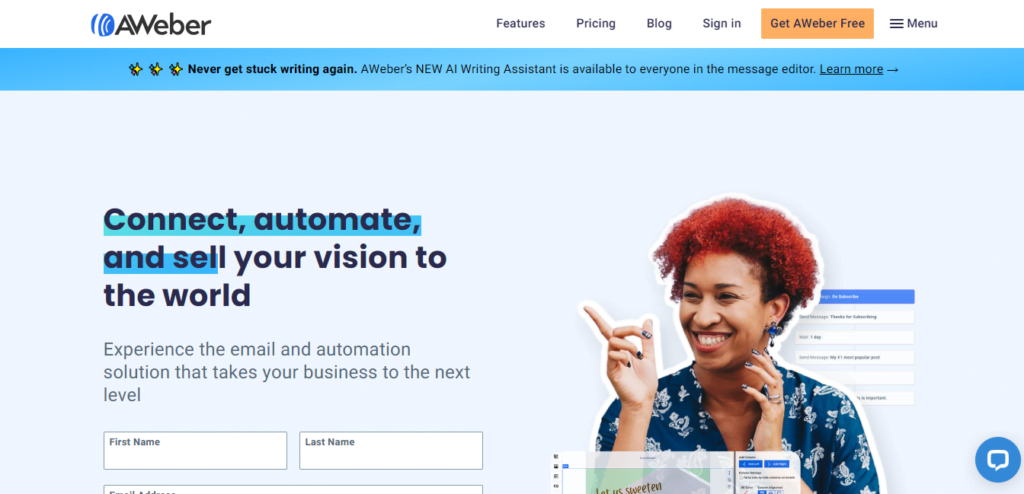
Table of Contents
What is AWeber?
AWeber is an email marketing platform that empowers businesses to create, send, and track email campaigns effortlessly. With a robust suite of tools and resources, AWeber helps businesses of all sizes nurture leads, build relationships with customers, and drive revenue through targeted email marketing efforts.
What are Landing Pages?
Landing pages are standalone web pages designed with a single focus – to convert visitors into leads or customers. Unlike traditional web pages, which serve multiple purposes, landing pages are optimized for a specific marketing campaign or offer, directing visitors’ attention towards a call-to-action (CTA). AWeber’s landing page features are engineered to streamline the creation and optimization of these essential marketing assets.
Importance of AWeber’s Landing Page Features
AWeber’s landing page features play a pivotal role in the success of email marketing campaigns by providing users with intuitive tools to design, deploy, and analyze the performance of landing pages. From customizable templates to seamless integration capabilities, AWeber equips businesses with everything they need to create high-converting landing pages that drive results.
Key Features of AWeber’s Landing Pages
AWeber’s landing page features are designed to cater to the diverse needs of marketers and businesses seeking to maximize their online presence. Let’s explore some of the key features that set AWeber apart in the realm of landing page creation:
Customizable Templates
AWeber offers a wide array of professionally designed templates that users can customize to reflect their brand identity and messaging. Whether you’re promoting a product launch, webinar registration, or lead magnet, AWeber’s templates provide a solid foundation for creating visually stunning landing pages that resonate with your target audience.
Drag-and-Drop Editor
With AWeber’s intuitive drag-and-drop editor, designing and editing landing pages is a breeze. Users can easily add text, images, videos, and custom forms to their landing pages without any coding knowledge. The user-friendly interface empowers marketers to experiment with different layouts and elements to optimize conversion rates.
Integration Capabilities
AWeber seamlessly integrates with popular third-party tools and platforms, allowing users to sync their landing pages with their existing marketing stack. Whether it’s integrating with CRM systems, analytics tools, or e-commerce platforms, AWeber ensures that users can leverage their landing pages within their broader marketing ecosystem.
Mobile Responsiveness
In an increasingly mobile-centric world, AWeber recognizes the importance of mobile responsiveness in driving engagement and conversions. All landing pages created with AWeber are optimized for mobile devices, ensuring a seamless user experience across smartphones and tablets.
Analytics and Tracking
AWeber provides comprehensive analytics and tracking features to help users monitor the performance of their landing pages in real-time. From conversion rates to traffic sources, AWeber’s analytics dashboard offers valuable insights that enable marketers to iterate and improve their campaigns for maximum impact.
Pros of Using AWeber’s Landing Page Features
While every marketing platform has its strengths and weaknesses, AWeber’s landing page features offer several distinct advantages:
Easy to Use
AWeber’s intuitive interface and user-friendly tools make it easy for marketers of all skill levels to create professional-looking landing pages in minutes.
Professional Designs
With access to a library of customizable templates, users can create visually stunning landing pages that align with their brand aesthetic and messaging.
Integration with Email Marketing
As part of AWeber’s comprehensive email marketing platform, landing pages seamlessly integrate with email campaigns, allowing marketers to nurture leads and drive conversions effectively.
Cons of Using AWeber’s Landing Page Features
While AWeber’s landing page features are undeniably powerful, there are a few limitations to be aware of:
Limited Customization Options
Some users may find AWeber’s customization options for landing pages to be somewhat limited compared to other platforms, particularly for more advanced design changes.
Pricing Structure
AWeber’s pricing plans may not be suitable for businesses on a tight budget or those with specific feature requirements that fall outside the scope of the available plans.
AWeber’s Pricing Plans
AWeber offers a range of pricing plans to suit the needs and budgets of different businesses:
- Free Plan
AWeber’s free plan allows users to create and deploy landing pages with basic features, making it ideal for small businesses and individuals looking to get started with email marketing.
- Pro Plan
The Pro plan offers advanced features such as unlimited landing pages, A/B testing, and advanced analytics, making it suitable for growing businesses with more extensive marketing needs.
- Premium Plan
The Premium plan caters to enterprise-level businesses with additional features such as dedicated support, custom branding, and advanced automation capabilities.
How to Get Started with AWeber’s Landing Pages
Getting started with AWeber’s landing pages is quick and easy. Here’s a step-by-step guide to help you hit the ground running:
- Sign Up Process: Create a free account on AWeber’s website and complete the registration process.
- Setting Up Your First Landing Page: Choose a template from AWeber’s library or create a custom design using the drag-and-drop editor.
- Best Practices for Optimization: Optimize your landing page for conversions by crafting compelling copy, using eye-catching visuals, and incorporating a clear call-to-action.
Conclusion
AWeber’s landing page features offer a comprehensive solution for businesses looking to enhance their online presence and drive conversions. From customizable templates to seamless integration capabilities, AWeber equips marketers with the tools they need to create high-performing landing pages that deliver results.
FAQs
1. What is AWeber?
AWeber is an email marketing platform that empowers businesses to create, send, and track email campaigns effortlessly.
2. How do AWeber’s landing pages help businesses?
AWeber’s landing pages enable businesses to create high-converting web pages optimized for lead generation and customer acquisition.
3. Can I use AWeber’s landing pages without an email marketing plan?
While AWeber’s landing pages are designed to complement its email marketing platform, users can create standalone landing pages without an email marketing plan.
4. Is AWeber’s pricing competitive compared to other platforms?
AWeber’s pricing plans are competitive within the email marketing industry, offering a range of features to suit different budgets and requirements.
5. Are there any hidden costs associated with AWeber’s landing pages?
AWeber’s pricing plans are transparent, with no hidden costs or fees. However, users should review the terms and conditions of their chosen plan to ensure it meets their needs.

Romil Aggrawal is a skilled Technical Content Writer and SEO Expert with a passion for simplifying complex concepts. With years of experience in crafting engaging, user-friendly content, Romil has personally tested and reviewed a wide range of tools and software to deliver in-depth, honest insights. His expertise in SEO ensures that his content not only informs but also ranks, helping businesses reach their audience effectively. Romil's dedication to quality and attention to detail make him a trusted voice in the tech and digital marketing space.