Choosing between Kajabi and LearnDash depends on your specific needs. If you are looking for a fully hosted, all-in-one solution that handles course creation, marketing, and automation without needing external tools, Kajabi is the best option. On the other hand, if you prefer a highly customizable LMS and don’t mind using WordPress with additional plugins, LearnDash is a great choice.
| Feature | Kajabi | LearnDash |
| Type of Platform | All-in-one SaaS | WordPress LMS Plugin |
| Ease of Use | ✅ Beginner-friendly | ❌ Requires technical skills |
| Hosting | ✅ Included | ❌ Requires separate hosting |
| Course Builder | ✅ Drag-and-drop | ❌ WordPress-based setup |
| Memberships | ✅ Built-in | ❌ Requires plugins |
| Gamification | ❌ Limited | ✅ Full LMS features |
| Marketing & Automation | ✅ Built-in | ❌ Requires third-party tools |
| Pricing | ❌ Expensive | ✅ Affordable |
| Best For | Entrepreneurs & Marketers | Advanced LMS users |
🏆 Overall Winner: Kajabi (Best for ease of use and business growth)
Table of Contents
Overview

What is Kajabi?
Kajabi is a cloud-based, all-in-one online business platform that allows users to create, market, and sell online courses, memberships, and digital products. Unlike traditional LMS platforms, Kajabi provides built-in website hosting, email marketing, automation, and sales funnels, making it an excellent choice for entrepreneurs who want to run a business without relying on third-party tools. Kajabi is particularly popular among coaches, educators, and content creators who need an easy-to-use system that includes all essential features.
What is LearnDash?
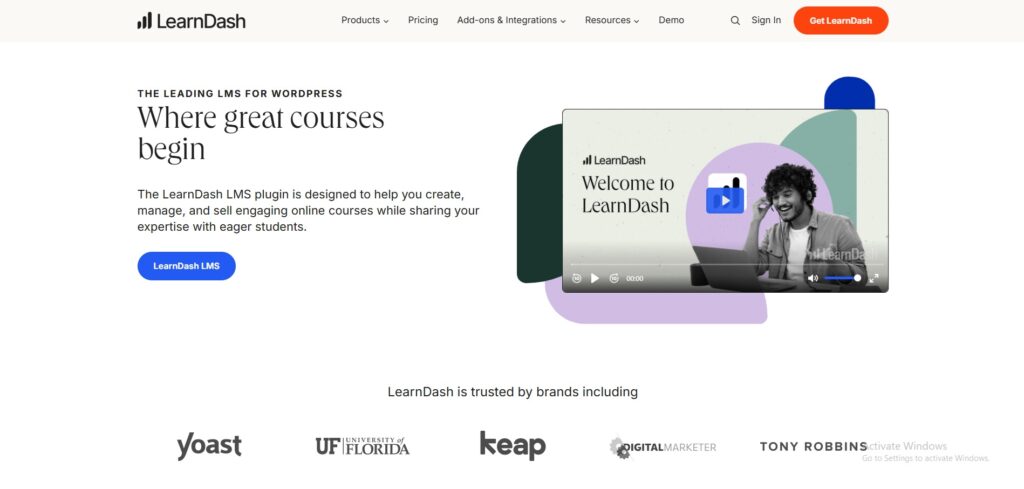
LearnDash is a WordPress-based Learning Management System (LMS) designed for users who want full control and customization over their online courses. Since it is a plugin, it integrates with existing WordPress sites and provides a powerful course management system with quizzes, certificates, drip content, and gamification features. However, unlike Kajabi, LearnDash does not include built-in marketing tools, requiring users to integrate third-party email marketing software and automation tools. LearnDash is best suited for businesses that need a scalable LMS and already use WordPress.
User Interface
Kajabi
Kajabi is built for ease of use. The platform provides a modern, user-friendly dashboard where users can access course creation, marketing, and automation tools in one place. With its drag-and-drop page builder, creating courses, membership sites, and sales funnels is straightforward, even for non-technical users. Additionally, Kajabi hosts everything on its own servers, eliminating the need for external hosting or maintenance.
LearnDash
LearnDash, being a WordPress plugin, requires some technical knowledge to set up and use efficiently. While the LMS interface itself is well-designed, users must handle WordPress hosting, security, and updates separately. The course creation process is not as intuitive as Kajabi’s drag-and-drop system, and many users need additional plugins for site design, payment processing, and automation.
| Feature | Kajabi | LearnDash |
| Ease of Use | ✅ Beginner-friendly | ❌ Requires WordPress knowledge |
| Drag-and-Drop Builder | ✅ Yes | ❌ No |
| Hosting | ✅ Fully hosted | ❌ Requires external hosting |
🏆 Winner: Kajabi – Best for beginners and non-technical users.
Online Courses and Memberships
Kajabi
Kajabi provides a streamlined course creation process, making it easy for users to build, sell, and manage courses. The platform includes features such as quizzes, video hosting, drip content, and automation, ensuring an engaging learning experience. Additionally, Kajabi offers built-in membership and community features, allowing users to create exclusive content for members without needing third-party tools.
LearnDash
LearnDash is built specifically as an LMS, making it ideal for structured online courses. It includes powerful learning tools such as certifications, assignments, gamification, and advanced quizzing options. However, it does not have built-in membership capabilities, requiring users to integrate third-party plugins to create a membership-based learning experience.
| Feature | Kajabi | LearnDash |
| Course Creation | ✅ Easy and fast | ✅ Advanced LMS features |
| Memberships | ✅ Built-in | ❌ Requires add-ons |
| Quizzes & Gamification | ❌ Limited | ✅ Comprehensive |
🏆 Winner: Kajabi – Best for effortless course creation and memberships.
Community, Design & Customization
Kajabi
Kajabi offers beautiful, ready-made themes that users can easily customize with its drag-and-drop builder. The platform is fully mobile-responsive, ensuring that courses and memberships look great on all devices. Additionally, Kajabi includes built-in blogging and community features, making it a complete content and learning platform.
LearnDash
Since LearnDash is a WordPress plugin, its design and customization options depend on the WordPress theme and plugins used. This provides more flexibility for experienced users but can be overwhelming for beginners. The platform does not include built-in community features, requiring third-party integrations to add forums, social learning, and interactive discussions.
| Feature | Kajabi | LearnDash |
| Website Builder | ✅ Built-in | ❌ Requires WordPress theme |
| Community Tools | ✅ Included | ❌ Needs plugins |
| Customization | ❌ Limited | ✅ Full flexibility |
🏆 Winner: Kajabi – Best for users who want a hassle-free, all-in-one solution.
Email Marketing & Automation
LearnDash
Since LearnDash is a WordPress plugin, it does not include built-in email marketing or automation features. If you want to send emails, nurture leads, or automate student interactions, you’ll need third-party tools like Mailchimp, ActiveCampaign, or ConvertKit. Some users integrate LearnDash with CRM systems and email automation tools using Zapier, but this requires additional setup and costs.
Kajabi
Kajabi offers built-in email marketing and automation, allowing course creators to send emails, schedule drip content, and automate student engagement without third-party tools. It includes:
- Drip campaigns to send emails based on student progress.
- Broadcast emails to notify members of updates.
- Visual automation workflows for lead nurturing.
| Feature | Kajabi | LearnDash |
| Built-in Email Marketing | ✅ Yes | ❌ No |
| Automation Workflows | ✅ Yes | ❌ No |
| Third-Party Tools Required | ❌ No | ✅ Yes |
🏆 Winner: Kajabi – Best for integrated email marketing and automation.
Sales Funnels & Campaigns
LearnDash
LearnDash does not provide built-in sales funnels. Instead, users need to rely on third-party funnel builders like ClickFunnels, CartFlows, or OptimizePress. These additional tools allow users to create high-converting sales pages, but they require extra costs and setup.
Kajabi
Kajabi includes Pipelines, its built-in sales funnel tool. It helps users create automated lead generation funnels, webinar registration pages, and sales sequences without needing extra software. It includes:
- Drag-and-drop funnel builder
- Pre-designed templates for lead generation
- Landing pages and checkout integration
| Feature | Kajabi | LearnDash |
| Built-in Sales Funnels | ✅ Yes | ❌ No |
| Pre-Built Templates | ✅ Yes | ❌ No |
| Requires Third-Party Tools | ❌ No | ✅ Yes |
🏆 Winner: Kajabi – Best for creating sales funnels without external tools.
Checkout Pages & Payments
LearnDash
LearnDash requires third-party plugins like WooCommerce, Stripe, or Easy Digital Downloads for checkout and payments. This adds flexibility but also increases setup complexity.
Kajabi
Kajabi has a built-in checkout system, making it easy to accept payments without external plugins. It includes:
- One-page checkout
- Subscription and installment payment options
- Coupon and discount features
| Feature | Kajabi | LearnDash |
| One-Page Checkout | ✅ Yes | ❌ No |
| Subscription Payments | ✅ Yes | ✅ Yes (via third-party tools) |
| Requires Plugins | ❌ No | ✅ Yes |
🏆 Winner: Kajabi – Best for simple and seamless course payments.
Integrations
LearnDash
LearnDash integrates with a wide range of WordPress tools, including:
- WooCommerce, MemberPress, and WPForms
- Third-party email marketing tools
- Zapier for automation
Kajabi
Kajabi has limited integrations, but it connects with major tools like Zapier, ConvertKit, and Mailchimp.
| Feature | Kajabi | LearnDash |
| Third-Party Integrations | ✅ Limited | ✅ Extensive |
| WooCommerce Support | ❌ No | ✅ Yes |
🏆 Winner: LearnDash – Best for WordPress-based flexibility.
Pricing Showdown
| Plan | Kajabi | LearnDash |
| Starting Price | $149/mo | $199/year (One-time fee) |
| Growth Plan | $199/mo | Requires hosting & plugins |
| Annual Discount | ✅ Yes | ✅ Yes |
🏆 Winner: LearnDash – More affordable for budget-conscious users.
Final Verdict
Choosing between Kajabi and LearnDash depends on your goals and technical expertise. If you are an entrepreneur or course creator who values simplicity, marketing automation, and an all-in-one solution, then Kajabi is the best choice. It provides everything needed to create, market, and sell courses without requiring third-party tools.
However, if you are looking for a customizable LMS with advanced learning features, and don’t mind handling WordPress setup, hosting, and additional plugins, then LearnDash is a great option. It is particularly useful for institutions and businesses that need structured learning paths and gamification.
| Category | Winner |
| Ease of Use | Kajabi |
| Course Creation | Kajabi |
| Customization | LearnDash |
| Marketing | Kajabi |
| Pricing | LearnDash |
🏆 Overall Winner: Kajabi
FAQs
1. Is LearnDash cheaper than Kajabi?
Yes, LearnDash is a more affordable option, but the additional costs of hosting, plugins, and integrations can increase expenses over time.
2. Does Kajabi have a free plan?
No, but Kajabi offers a 14-day free trial for users to test its features.
3. Which platform is better for memberships?
Kajabi is better for memberships since it has built-in tools to create and manage member-only content.
4. Can I migrate from LearnDash to Kajabi?
Yes, but you will need to manually transfer your course content and user data.
5. Does LearnDash work without WordPress?
No, LearnDash is a WordPress plugin and cannot function as a standalone platform.

Romil Aggrawal is a skilled Technical Content Writer and SEO Expert with a passion for simplifying complex concepts. With years of experience in crafting engaging, user-friendly content, Romil has personally tested and reviewed a wide range of tools and software to deliver in-depth, honest insights. His expertise in SEO ensures that his content not only informs but also ranks, helping businesses reach their audience effectively. Romil's dedication to quality and attention to detail make him a trusted voice in the tech and digital marketing space.