
In today’s competitive digital landscape, businesses must streamline their sales and marketing processes to stay ahead. A well-integrated system that connects marketing automation with customer relationship management (CRM) tools can help companies manage their leads, nurture customer relationships, and increase conversions. But does Kajabi integrate with Salesforce?
Yes, Kajabi can be integrated with Salesforce, but not through a direct native connection. Businesses can use third-party tools like Zapier or API connectors to sync data between the two platforms. This is essential, considering that 91% of businesses with 10 or more employees use CRM software to manage customer relationships.
In this guide, we will cover everything you need to know about integrating Kajabi with Salesforce, the best methods, troubleshooting tips, and expert insights to maximize efficiency.p site functionality, and integrated payment processing. Kajabi aims to provide users with everything they need to build and grow a successful online business without the need for multiple tools or platforms.
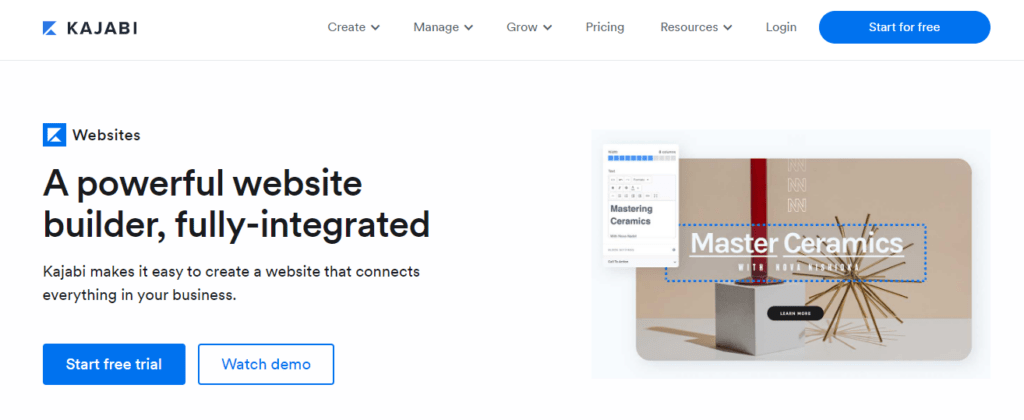
Table of Contents
Understanding Kajabi and Salesforce
What is Kajabi?
Kajabi is an all-in-one platform designed for entrepreneurs, course creators, and businesses that want to sell digital products, online courses, and memberships. It offers a variety of features, including:
- Website Builder – Create a fully customized website for your business.
- Email Marketing Automation – Manage customer interactions with email campaigns.
- Sales Funnels & Landing Pages – Convert leads into paying customers.
- Payment Processing – Accept payments via Stripe or PayPal.
- Course & Membership Hosting – Deliver digital courses and exclusive membership content.
Kajabi is designed for content creators and online educators who want to focus on delivering value without dealing with the complexities of separate hosting, email marketing, and sales tools.
What is Salesforce?
Salesforce is a cloud-based CRM solution that helps businesses track and manage customer relationships, automate sales processes, and improve overall business efficiency. It is widely used in industries like e-commerce, real estate, healthcare, and SaaS to handle:
- Lead Management – Capturing and tracking potential customers.
- Customer Support – Managing inquiries, service tickets, and issue resolution.
- Sales Pipeline Tracking – Monitoring every stage of a customer’s journey.
- Marketing Automation – Running targeted campaigns based on user behavior.
- Business Intelligence & Reporting – Generating data-driven insights.
Salesforce is known for its extensive customization options, allowing businesses to tailor workflows and automation according to their needs.
How They Function Separately
While Kajabi focuses on content creation and digital product sales, Salesforce specializes in customer relationship management (CRM) and sales tracking. Integrating them ensures a seamless lead-to-customer journey.
Why Integrate Kajabi with Salesforce?
Connecting Kajabi with Salesforce provides a powerful synergy between marketing automation and customer relationship management. Here are the top reasons why businesses should integrate the two:
1. Improved Lead Tracking and Conversion
Kajabi is great at capturing leads through opt-in forms, but without proper CRM integration, managing those leads can be a challenge. With Salesforce integration, every new Kajabi subscriber can be automatically added to Salesforce as a lead, allowing sales teams to nurture and convert them more efficiently.
2. Enhanced Customer Segmentation
Salesforce allows businesses to categorize leads and customers based on behavior, engagement levels, and purchase history. Instead of manually segmenting customers in Kajabi, integration allows automated tagging and categorization, improving personalization.
3. Sales Funnel Optimization
Kajabi primarily focuses on content and course delivery, whereas Salesforce specializes in sales tracking and forecasting. Integration allows businesses to monitor each customer’s journey from signup to purchase, ensuring no leads slip through the cracks.
4. Automating Workflows
Automation is key to saving time and improving efficiency. By integrating Kajabi and Salesforce, businesses can automatically trigger actions such as:
- Sending a follow-up email when a lead is added.
- Assigning leads to sales reps based on criteria.
- Notifying sales teams about high-value prospects.
5. Better Data Accuracy and Consistency
Manually transferring data between platforms can lead to errors, duplicates, and inconsistencies. With an integrated system, data remains synchronized and up-to-date across both platforms.
Benefits of Automation in Business
Connecting Kajabi with Salesforce offers several advantages:
- Improved Lead Tracking: Automatically send Kajabi leads to Salesforce CRM.
- Enhanced Customer Segmentation: Identify and categorize customers based on behavior.
- Sales Funnel Optimization: Track customers from sign-up to purchase.
Streamlined Workflows
Instead of manually transferring data, integration allows for real-time updates and automation in Salesforce.
Improved Lead Management
- Faster Response Times: Automatically assign leads to sales reps.
- Lead Scoring: Qualify leads based on behavior and engagement.
Does Kajabi Integrate with Salesforce?
At present, Kajabi does not offer a direct, built-in integration with Salesforce. However, businesses can still connect the two platforms using the following methods:
| Integration Method | Ease of Use | Cost | Best For |
| Zapier | Easy | Medium | Automating common workflows |
| Custom API Integration | Complex | High | Businesses needing full control |
| Manual Data Import/Export | Basic | Low | Small businesses with few leads |
Zapier is the most popular and easiest way to integrate Kajabi with Salesforce without any coding knowledge.
Methods to Connect Kajabi with Salesforce
Using Zapier for Integration
Zapier allows no-code automation between Kajabi and Salesforce. It works by creating “Zaps” that trigger actions based on specific events.
| Kajabi Trigger | Salesforce Action |
| New lead in Kajabi | Create a new lead in Salesforce |
| New purchase in Kajabi | Update customer record in Salesforce |
| Subscription canceled | Mark lead as inactive |
Custom API Development
For advanced users, Salesforce APIs can be used to build a direct connection with Kajabi. However, this requires developer expertise.
Manual Import/Export of Data
- Export Kajabi customer list as a CSV file.
- Import it manually into Salesforce.
- Best for small businesses with limited automation needs.
Step-by-Step Guide to Integrate Kajabi with Salesforce Using Zapier
Zapier acts as a middleman that connects Kajabi and Salesforce by automating data transfers between the two platforms. Here’s a step-by-step guide:
Step 1: Create a Zapier Account
- Go to Zapier and create an account.
- Subscribe to a premium plan if you need advanced workflows.
Step 2: Set Up a New Zap
- Click “Create a Zap” and choose Kajabi as the trigger app.
- Select a trigger event, such as “New Form Submission” or “New Purchase”.
Step 3: Connect Salesforce
- Choose Salesforce as the action app.
- Select an action event, such as “Create a New Lead” or “Update Contact”.
- Sign in to your Salesforce account.
Step 4: Map the Data Fields
- Match Kajabi fields (e.g., Name, Email, Course Purchased) with Salesforce fields.
- Configure additional settings based on your workflow.
Step 5: Test and Activate the Zap
- Run a test to verify data is syncing correctly.
- Turn on the Zap and monitor its performance.
Best Practices for Kajabi and Salesforce Integration
- Optimize Data Sync Frequency: Avoid overloading Salesforce with unnecessary updates.
- Prevent Duplicate Entries: Use unique identifiers for leads.
- Ensure Data Security: Use encrypted connections to protect customer information.
Common Issues and How to Fix Them
| Issue | Solution |
| Data not syncing | Check Zapier settings and API limits |
| Duplicate leads | Use lead deduplication tools in Salesforce |
| Delayed triggers | Upgrade to a higher Zapier plan |
Future Trends in Kajabi and Salesforce Integration
- AI-Powered Automation: Smart lead segmentation using AI.
- Advanced Customer Insights: Predictive analytics for better engagement.
Expert Recommendations
Marketing professionals suggest combining Kajabi’s marketing automation with Salesforce’s CRM capabilities to create a seamless customer journey.
Conclusion
Integrating Kajabi with Salesforce is a game-changer for businesses looking to automate their workflows and improve customer relationships. Whether using Zapier, APIs, or manual data transfer, the integration can help streamline lead management and enhance sales tracking.
Pro Tip:
For best results, use Zapier’s multi-step automation to trigger personalized email sequences in Salesforce based on Kajabi actions.
FAQs
1. Can I integrate Kajabi with Salesforce for free?
Zapier offers a free plan, but advanced automation may require a paid plan.
2. How often does Kajabi sync with Salesforce?
Syncing frequency depends on the Zapier plan or API setup.
3. What is the easiest way to integrate Kajabi with Salesforce?
Using Zapier is the simplest method.
4. Does Salesforce support real-time updates from Kajabi?
Yes, but only through Zapier or API integration.
5. Can I migrate existing Kajabi leads to Salesforce?
Yes, via CSV file upload in Salesforce.

Romil Aggrawal is a skilled Technical Content Writer and SEO Expert with a passion for simplifying complex concepts. With years of experience in crafting engaging, user-friendly content, Romil has personally tested and reviewed a wide range of tools and software to deliver in-depth, honest insights. His expertise in SEO ensures that his content not only informs but also ranks, helping businesses reach their audience effectively. Romil's dedication to quality and attention to detail make him a trusted voice in the tech and digital marketing space.