
When it comes to building and managing an online presence, both Kajabi and Wix offer robust solutions. However, they cater to different needs and audiences. In this detailed comparison, we’ll explore their features, ease of use, pricing, and more to help you determine which platform aligns best with your goals.
Disclaimer: This article is based on publicly available information. Please verify pricing and features on the official websites, as updates may have occurred.
Table of Contents
Kajabi vs Wix: Quick & Simple Comparison
| Feature | Kajabi | Wix |
| Ease of Use | User-friendly interface tailored for course creators and digital products. | Drag-and-drop builder suitable for general website creation. |
| Website Building | Templates designed for online courses and memberships. | Over 800 customizable templates for various industries. |
| Course Creation | Robust tools for creating and selling online courses and memberships. | Basic options; requires third-party integrations for advanced features. |
| Marketing Tools | Built-in email marketing, sales funnels, and automation. | Offers email marketing; advanced features may require add-ons. |
| E-commerce | Integrated e-commerce for selling digital products. | Comprehensive e-commerce capabilities for physical and digital products. |
| Pricing | Starts at $89/month. | Free plan available; premium plans start at $14/month. |
| Free Trial | 14-day free trial. | Free plan available; premium plans start at $14/month. |
What is Kajabi?
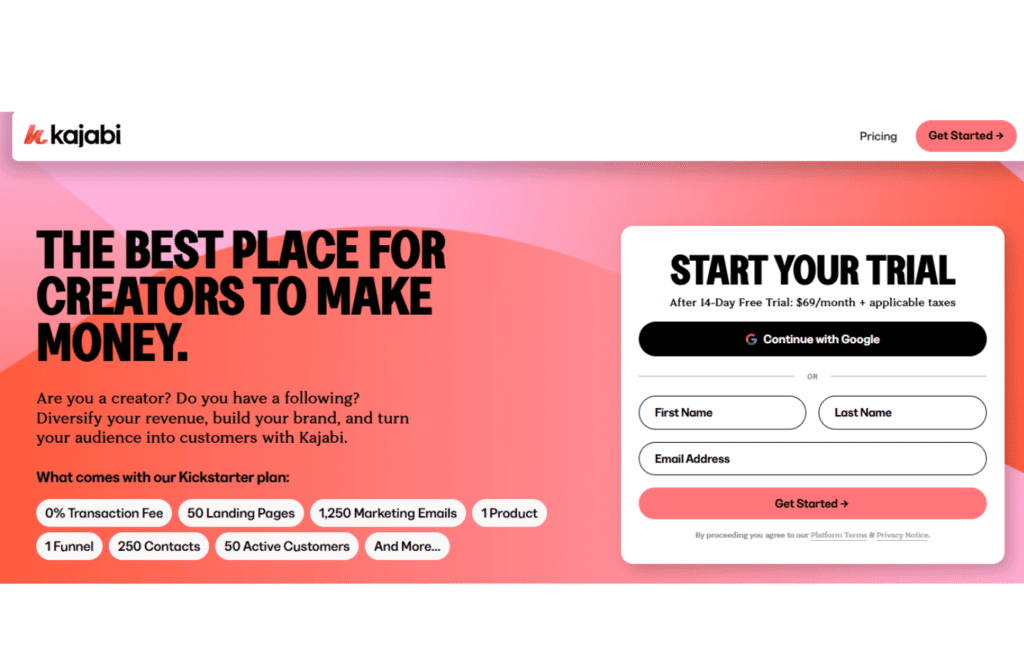
Kajabi is an all-in-one platform designed specifically for course creators, coaches, and digital entrepreneurs. It offers a comprehensive suite of tools to create, market, and sell online courses, memberships, and digital products. Launched in 2010, Kajabi has become a leading choice for those looking to build and scale their online education businesses.
Who Should Use Kajabi?
Kajabi is ideal for:
- Membership Site Owners: Businesses aiming to build and manage membership sites with ease.
- Course Creators and Coaches: Individuals looking to create and sell online courses or coaching programs.
- Digital Entrepreneurs: Those seeking an all-in-one platform to manage their online business operations.
What Is Wix?
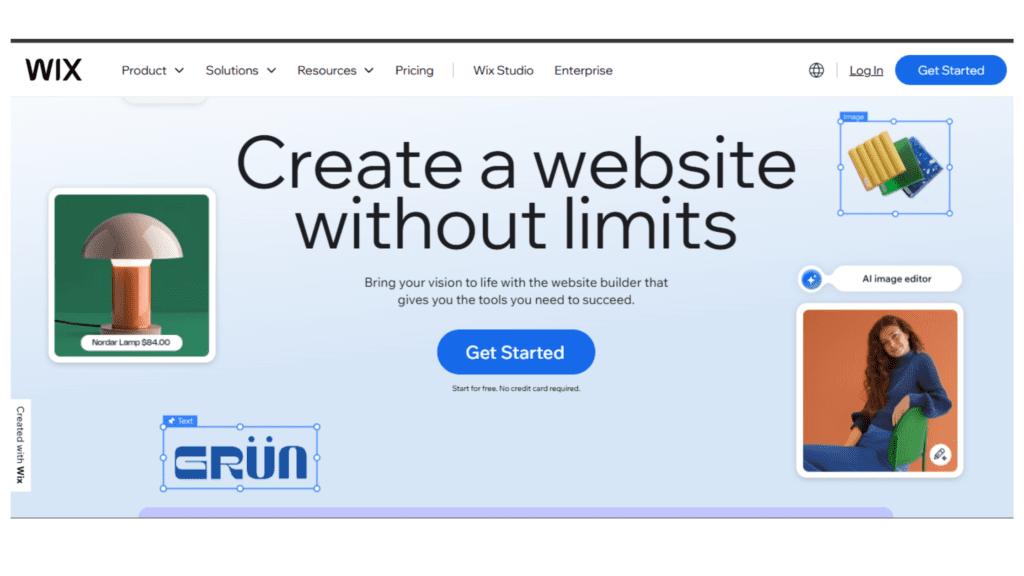
Wix is a versatile website builder that allows users to create professional-looking websites without any coding knowledge. Founded in 2006, Wix offers a wide range of templates and customization options, making it suitable for various industries and purposes.
Who Should Use Wix?
Wix is perfect for:
- Small Business Owners: Entrepreneurs looking to establish an online presence with a customizable website.
- Bloggers and Content Creators: Individuals wanting to showcase their content through a personal website.
- E-commerce Sellers: Businesses aiming to sell products online with a user-friendly interface.
Key Similarities and Differences
While both platforms offer website building capabilities, they differ significantly in their focus and features.
Similarities
- Website Building: Both platforms provide tools to create and customize websites.
- Templates: Each offers a variety of templates to suit different industries and preferences.
- Support: Both platforms offer customer support to assist users with their needs.
Differences
- Focus: Kajabi is tailored for course creators and digital product sellers, while Wix is a general website builder suitable for various purposes.
- Features: Kajabi offers built-in tools for course creation, marketing automation, and sales funnels. Wix provides a drag-and-drop builder with extensive customization options but lacks specialized tools for online courses.
- E-commerce: Wix offers comprehensive e-commerce capabilities, including support for physical products. Kajabi focuses on digital product sales.
- Pricing: Kajabi’s pricing starts at $89/month, reflecting its specialized features. Wix offers a free plan, with premium plans starting at $14/month.
Online Course & Membership Features:Kajabi vs Wix
Creating and managing online courses and memberships is a key feature for many entrepreneurs, and both Kajabi and Wix offer great tools to help you do this. Let’s compare their capabilities for course creation, membership management, and ease of use.
Kajabi
Kajabi excels at course creation and membership management with its comprehensive set of tools designed specifically for these purposes.
- Course Creation: Kajabi’s course builder allows you to create beautiful and engaging courses with video, quizzes, and assignments. The platform supports various course formats, including drip content, so you can control when students receive access to materials.
- Membership Sites: Kajabi makes it easy to set up a membership site, offering a range of customization options for creating gated content. You can offer multiple tiers of membership, manage your members, and track their progress all in one place.
- Monetization: Kajabi allows you to sell courses and memberships using its built-in payment processor. You can also set up subscription billing for ongoing memberships and offer discount codes or coupons for promotions.
- Community Building: Kajabi’s platform includes tools to build a community around your courses with forums and discussions, keeping students engaged with the content and each other.
Wix
Wix is known for its flexibility as a website builder, but its tools for online courses and membership sites are more basic compared to Kajabi.
- Course Creation: Wix offers a simple course builder that allows you to upload videos, create lesson plans, and manage students. However, it doesn’t have as many advanced features like quizzes or assignments as Kajabi.
- Membership Sites: Wix lets you create a membership area where users can sign up, log in, and access exclusive content. It’s easy to manage and organize content for different membership tiers, but the customization options are not as extensive as Kajabi’s.
- Monetization: Wix provides integrated payment solutions for selling your courses or memberships. You can set up subscriptions, but you won’t have the advanced tools Kajabi offers for sales funnels or promotions.
- Community Building: Wix’s membership area allows you to create a space for your members to interact, but it’s not as fully developed as Kajabi’s built-in community tools.
Comparison Table: Online Course & Membership Features
| Feature | Kajabi | Wix |
| Course Creation | Advanced, with quizzes, assignments, and drip content | Basic, simple course builder |
| Membership Sites | Full customization, multiple tiers | Basic membership area |
| Monetization Options | Built-in payment processor, subscriptions, and discount codes | Payment processor and subscriptions, fewer promo tools |
| Community Building | Forums, discussions, and engagement tools | Limited community features |
| Ease of Use | Intuitive, but may require time to master | Easy to use for beginners |
🌟Winner:
If you’re looking for a platform specifically designed for online courses and memberships, Kajabi takes the lead. It offers a more powerful and feature-rich experience for course creators and membership site owners, with advanced tools for content delivery, student engagement, and monetization.
However, if you’re after a simpler, more budget-friendly option for creating a basic membership site or a simple course, Wix can do the job. It’s easy to set up and ideal for those who don’t need all the bells and whistles. So, it really depends on how advanced and customized you want your course or membership site to be!
Pricing: Kajabi vs Wix
When choosing a platform to create and sell online courses or memberships, both Kajabi and Wix offer compelling options. Let’s delve into their pricing structures to help you make an informed decision.
Kajabi Pricing
Kajabi provides a comprehensive suite of tools tailored for online course creators and membership site owners. Their pricing plans are designed to accommodate various business needs:
- Kickstarter Plan: Priced at $89 per month (billed annually), this plan is ideal for entrepreneurs starting to set up their online business. It includes tools for website building, email marketing, and course creation.
- Basic Plan: At $149 per month (billed monthly), this plan supports up to 3 products, 3 funnels, 10,000 contacts, unlimited landing pages, and 1,000 active customers. It also offers 0% transaction fees and includes 1 website with 1 admin user.
- Growth Plan: For $199 per month (billed monthly), this plan increases the limits to 15 products, 15 funnels, 25,000 contacts, 10,000 active customers, and advanced automation features. It also includes 1 website with 10 admin users.
- Pro Plan: At $399 per month (billed monthly), this plan further increases the limits to 100 products, 100 funnels, 100,000 contacts, 20,000 active customers, and a custom code editor. It also includes 3 websites with 25 admin users.
Read More: Kajabi pricing
Wix Pricing
Wix is a versatile website builder that also offers features for creating and selling online courses and memberships. Their pricing plans are as follows:
- Core Plan: Priced at $29 per month, this plan is ideal for personal use and includes essential website building tools.
- Business Plan: At $36 per month, this plan is designed for expanding your business and includes additional features such as online sales capabilities.
- Business Elite Plan: For $159 per month, this plan offers everything you need to start running your business, including advanced features and support.
Comparison Table: Pricing
| Feature | Kajabi (Kickstarter) | Kajabi (Basic) | Kajabi (Growth) | Kajabi (Pro) | Wix (Core) | Wix (Business) | Wix (Business Elite) |
| Monthly Price | $89 | $149 | $199 | $399 | $29 | $36 | $159 |
| Products | N/A | 3 | 15 | 100 | N/A | N/A | N/A |
| Funnels | N/A | 3 | 15 | 100 | N/A | N/A | N/A |
| Contacts | N/A | 10,000 | 25,000 | 100,000 | N/A | N/A | N/A |
| Active Customers | N/A | 1,000 | 10,000 | 20,000 | N/A | N/A | N/A |
| Websites | N/A | 1 | 1 | 3 | 1 | 1 | 1 |
| Admin Users | N/A | 1 | 10 | 25 | 1 | 1 | 1 |
| Transaction Fees | 0% | 0% | 0% | 0% | N/A | N/A | N/A |
| Support | 24/7 Chat Support | 24/7 Chat Support | 24/7 Chat Support | 24/7 Chat Support | N/A | N/A | N/A |
🌟Winner:
For those specifically looking to create and sell online courses or memberships, Kajabi offers a more tailored solution with its specialized features and higher contact and customer limits. However, if you’re seeking a more general website builder with the option to add online sales features, Wix provides a more affordable entry point, especially with its Core Plan. Ultimately, the choice depends on your specific business needs and budget.
Email Marketing: Kajabi vs Wix
When it comes to email marketing, both Kajabi and Wix offer solid features, but the experience differs significantly in terms of functionality, ease of use, and integration capabilities.
Kajabi
Kajabi shines with its all-in-one marketing automation tools. You can create email campaigns, automate follow-ups, and even segment your audience based on behavior. Its built-in email marketing system allows for highly targeted messages, making it easy to nurture leads. However, its email builder is a bit basic compared to dedicated platforms like Mailchimp, and it lacks advanced features like A/B testing. That said, it’s incredibly efficient for those looking to create seamless marketing funnels and track performance within the same platform.
Wix
Wix offers a simpler, less sophisticated approach to email marketing through its Wix Email Marketing tool. It has an easy-to-use drag-and-drop editor to design emails, and you can set up automation sequences. Wix’s email tool is tied directly to your website’s data, making it easy to send tailored campaigns based on customer behavior. While it’s a solid option for small businesses and beginners, it doesn’t have the same depth or advanced automation features that Kajabi does, especially when it comes to segmentation and detailed analytics.
Comparison Table: Email Marketing
| Feature | Kajabi | Wix |
| Automation | Advanced automation and follow-ups ✅ | Basic automation sequences ❌ |
| Email Design Tools | Limited customization options ❌ | Easy-to-use drag-and-drop editor ✅ |
| Integration with Funnels | Seamless integration ✅ | Integration with website only ✅ |
| Analytics | Comprehensive performance tracking ✅ | Basic analytics ❌ |
🌟 Winner: Kajabi – For businesses looking for robust, automated email marketing features, Kajabi wins. If you want something simpler and easier to use, Wix is a solid option.
Site & Funnel Building: Kajabi vs Wix
Both platforms offer site-building capabilities, but they cater to different needs and audiences. Let’s break down the features of each in terms of ease of use, customization, and funnel-building potential.
Kajabi
Kajabi is ideal for those looking to build an online business or course platform. With its user-friendly drag-and-drop builder, you can design beautiful sales pages, landing pages, and full websites. Its funnel-building capabilities are impressive, allowing you to set up marketing automation, payment processing, and upsell sequences—all in one place. However, the platform does require a bit more time to master, especially if you’re new to funnel marketing. The focus is on a seamless user experience that connects the website, funnels, and email marketing into one cohesive system.
Wix
Wix offers more flexibility for general website design and is perfect for users who want to create a visually appealing website quickly. Its drag-and-drop editor is super easy to use, and you can customize your site with a wide range of templates. Wix also offers a basic funnel-building feature, but it’s not as advanced as Kajabi’s. While you can create landing pages, sign-up forms, and connect your email marketing, Wix’s funnel-building tools are limited, especially for those who need complex sales sequences and automation.
Comparison Table: Site & Funnel Building
| Feature | Kajabi | Wix |
| Ease of Use | Intuitive drag-and-drop builder ✅ | Easy-to-use drag-and-drop editor ✅ |
| Funnel-Building Features | Advanced funnel-building tools ✅ | Basic funnel capabilities ❌ |
| Website Customization | Limited design flexibility ❌ | Highly customizable templates ✅ |
| Integration | Seamless integration with email & payment systems ✅ | Integration options are more basic ❌ |
🌟 Winner: Kajabi – Kajabi excels when it comes to funnel building and integrating multiple marketing tools. It’s a great choice for those who need advanced sales funnels, even though Wix is a better option for simple website design.
Checkout & Payment: Kajabi vs Wix
When it comes to processing payments and managing your checkout experience, both Kajabi and Wix offer solid solutions, but they serve different business needs. Here’s a breakdown of how each platform handles these essential features.
Kajabi
Kajabi is designed with online course creators, membership sites, and digital product sellers in mind. Its checkout system is smooth and integrated directly into the platform, making it easy to set up one-time payments, subscriptions, or payment plans. The platform supports a range of payment processors, including Stripe and PayPal, so you can easily accept payments from customers worldwide. One of Kajabi’s strengths is its ability to handle automated sales pages, upsells, and cart abandonment emails, which help optimize the checkout experience and boost conversions. However, Kajabi’s transaction fees can add up if you’re on a lower-tier plan.
Wix
Wix also offers a robust checkout system, but it’s more geared toward small businesses and general eCommerce stores. With Wix, you can set up your store, configure a range of payment gateways, and manage transactions with ease. Its checkout system is flexible, offering options for product pages, subscriptions, and discounts. However, Wix does not provide as much advanced functionality as Kajabi when it comes to automated sales funnels and upsell features, making it less optimal for businesses with complex sales processes. Wix’s transaction fees are generally lower, and it supports a wide range of payment processors, including credit cards, PayPal, and more.
Comparison Table: Checkout & Payment
| Feature | Kajabi | Wix |
| Payment Gateways | Stripe, PayPal, and others ✅ | Wide range of payment processors ✅ |
| Flexibility of Checkout | Seamless for digital products ✅ | Flexible, but more general eCommerce ❌ |
| Transaction Fees | Higher fees on lower-tier plans ❌ | Lower fees ✅ |
| Upsell and Automation | Advanced upsell features ✅ | Basic upsell features ❌ |
| Global Payments | Supports international payments ✅ | Supports international payments ✅ |
🌟 Winner: Kajabi – If you’re running a business with more complex sales processes (like digital products or membership sites), Kajabi’s integrated checkout and payment automation make it the better choice. Wix, on the other hand, is a good option for small businesses with simple eCommerce needs.
eCommerce: Kajabi vs Wix
When it comes to building an eCommerce store, both Kajabi and Wix offer tools that cater to different types of businesses. Let’s explore their eCommerce features in more detail.
Kajabi
While Kajabi isn’t primarily an eCommerce platform, it excels in helping creators sell digital products like courses, memberships, and coaching services. The platform provides a streamlined way to sell products with automated sales funnels, including email marketing, checkout, and payment processing. However, Kajabi’s eCommerce features are more limited when it comes to physical products. It’s best for businesses that focus on digital products and services rather than traditional retail. The platform does allow you to sell one-time products, subscriptions, and memberships with ease.
Wix
Wix, on the other hand, is a robust eCommerce platform that caters to all types of businesses, whether you’re selling physical goods, digital products, or services. Wix offers a wide array of customizable templates for online stores, inventory management, and shipping options. It also supports subscriptions, digital downloads, and integrates with a variety of payment processors. Wix provides excellent flexibility for building your store, but it lacks the advanced automation and funnel-building capabilities of Kajabi. For businesses that require comprehensive eCommerce features, especially physical product sales, Wix is the better choice.
Comparison Table: eCommerce
| Feature | Kajabi | Wix |
| Product Type Focus | Best for digital products ✅ | Great for physical and digital products ✅ |
| Inventory Management | Limited for physical products ❌ | Comprehensive inventory management ✅ |
| Store Design Flexibility | Basic customization options ❌ | Highly customizable store templates ✅ |
| Automation & Funnels | Advanced sales funnels and automation ✅ | Limited automation features ❌ |
| Payment Integrations | Stripe, PayPal, etc. ✅ | Wide range of payment gateways ✅ |
🌟 Winner: Wix – Wix offers more comprehensive eCommerce tools, especially for physical products, with robust inventory management and customizable store designs. Kajabi is ideal for businesses selling digital products and services, but Wix is the clear winner for broader eCommerce needs.
Read More:
Pros and Cons of Kajabi
Pros
✅ Premium Course Creation Features
Kajabi is the go-to platform for course creators. With features like progress tracking, quizzes, assessments, and certificates, it offers a comprehensive course creation experience that enhances learning for both students and instructors.
✅ Advanced Marketing Automation & Segmentation
Kajabi’s robust automation tools let you create highly personalized customer journeys. You can segment your audience and trigger automated actions based on customer behavior, improving engagement and conversions.
✅ Sleek, Modern Interface
Kajabi boasts a professional, user-friendly design that’s easy to navigate. It’s not only functional but also aesthetically pleasing, offering a premium feel to users.
✅ Mobile App for On-the-Go Access
With Kajabi’s mobile app, users can access their courses and manage content from anywhere, which is great for entrepreneurs and students who are constantly on the move.
✅ Strong Community & Live Chat Support
Kajabi provides live chat support, an extensive help center, and a lively community of course creators, ensuring you never feel alone in your journey.
✅ High-Quality Website & Landing Page Builder
Kajabi’s website and landing page builder is incredibly powerful, offering customization options to create professional, branded sites without relying on third-party tools.
✅ Podcast Hosting & Membership Site Features
Kajabi includes podcast hosting and community-building features, which makes it perfect for content creators who want to engage their audience in multiple ways beyond just courses.
Cons
❌ Expensive Pricing Plans
Kajabi doesn’t offer a free plan, and its pricing starts at $149/month. For solopreneurs or small businesses just starting out, this can feel like a steep investment.
❌ Steeper Learning Curve
With so many advanced features and customization options, Kajabi has a longer learning curve compared to more beginner-friendly platforms like Wix.
❌ No Built-In Sales Funnel Builder
Unlike some competitors, Kajabi doesn’t offer a dedicated funnel builder, so you may need to set up sales funnels manually, which can be time-consuming.
❌ Transaction Fees on Lower Plans
Kajabi charges transaction fees on its lower-tier plans, which can cut into your profit margins, especially if you have high sales volume.
Pros and Cons of Wix
Pros
✅ Affordable Pricing
Wix offers an affordable pricing structure, starting with low-cost plans that make it accessible for small businesses and personal projects.
✅ Highly Customizable Templates
Wix offers a vast selection of beautiful, highly customizable templates. Whether you’re building a website, an online store, or a blog, you have a lot of creative freedom.
✅ Easy-to-Use Drag-and-Drop Builder
Wix’s intuitive drag-and-drop editor makes it easy for anyone to build a professional-looking website with no coding skills required.
✅ Strong eCommerce Features
Wix provides robust tools for creating online stores, including inventory management, product pages, and flexible payment options, making it great for small businesses selling physical or digital products.
✅ Flexible Payment Options
Wix integrates with a variety of payment processors, including PayPal, Stripe, and more, so you can easily accept payments from customers globally.
✅ Free Plan Available
Wix offers a free plan with basic features, so you can start building your site without committing to a paid plan upfront.
Cons
❌ Limited Marketing Automation
Wix’s marketing automation features are more basic compared to Kajabi, and it doesn’t offer as many advanced segmentation and follow-up tools.
❌ Limited eCommerce Features for Larger Stores
While Wix works great for small businesses, it may struggle with larger, more complex eCommerce setups. Its inventory management and advanced sales features are not as robust as Kajabi’s.
❌ Less Advanced Course Creation Tools
Wix doesn’t specialize in course creation and lacks the premium features that Kajabi offers for online educators, like progress tracking, quizzes, or certifications.
❌ Transaction Fees on Lower Plans
Wix also charges transaction fees on its lower-tier plans, which can add up if you’re making a lot of sales.
Which One Should You Choose?
💡 Go with Kajabi if:
✅ You’re a professional course creator, coach, or membership site owner looking for advanced course-building tools.
✅ You need powerful marketing automation, segmentation, and analytics to optimize engagement and conversions.
✅ You want a sleek, polished, and customizable website and landing page builder.
✅ You value mobile access and community-building features for your students.
💡 Go with Wix if:
✅ You’re looking for an affordable, user-friendly website builder with strong design flexibility.
✅ You want to sell physical or digital products with an easy-to-use eCommerce system.
✅ You need a platform that’s quick to set up and doesn’t require advanced technical skills.
✅ You’re on a budget and need a free plan to get started.
Final Thoughts
In the battle of Kajabi vs Wix, the best platform really depends on your business needs! Kajabi is perfect for creators and educators who need premium course creation features, advanced marketing automation, and a more robust business solution. Wix, on the other hand, is ideal for small businesses or individuals who need an affordable, customizable website and eCommerce features with a low learning curve.
Both platforms offer free trials (or a free plan with Wix), so don’t hesitate to try them out and see which one fits your vision best. Happy building! 🚀
FAQs
1. Which tool is better for small businesses?
- Wix is often recommended for small businesses due to its cost-effectiveness and wide range of tools.
2. Can I use these tools if I am new to digital marketing?
- Yes, both platforms offer comprehensive guides and tutorials to assist new users. Kajabi is particularly beginner-friendly for course creators.
3. Are these tools suitable for large enterprises?
- Both platforms can be used by large enterprises, but Wix offers more scalability and flexibility for diverse marketing needs.
4. Do both tools offer integrations?
- Yes, both platforms integrate with various third-party applications, including CRM software, e-commerce platforms, and other marketing tools.
5. Is there a trial available for these platforms?
- Yes, both Kajabi and Wix offer trial periods to test their features.

Srishti Gaur is an accomplished SEO Associate with a strong background in content creation and software technology. With a knack for crafting strategies that drive traffic and improve search rankings, she combines her expertise in SEO with a deep understanding of tech tools and platforms. Passionate about bridging the gap between technology and impactful content, Srishti helps businesses grow their online presence and achieve measurable results.