In today’s competitive digital landscape, the design and functionality of your marketing assets can make or break your business. Studies show that a well-designed landing page can increase conversions by up to 300%. That’s where Kartra templates come into play. These pre-designed, fully customizable templates help businesses create stunning landing pages, sales funnels, email campaigns, and websites—without the need for coding or extensive design expertise.
Whether you’re a solopreneur, small business owner, or part of a larger organization, Kartra templates can simplify the process of creating professional, high-performing marketing materials. This guide dives deep into everything you need to know about Kartra templates, their benefits, and how to use them effectively.
| Disclaimer: This blog is for informational purposes only. The features and templates mentioned are based on the latest information available at the time of writing and may be subject to updates by Kartra. |
Table of Contents
What Are Kartra Templates?
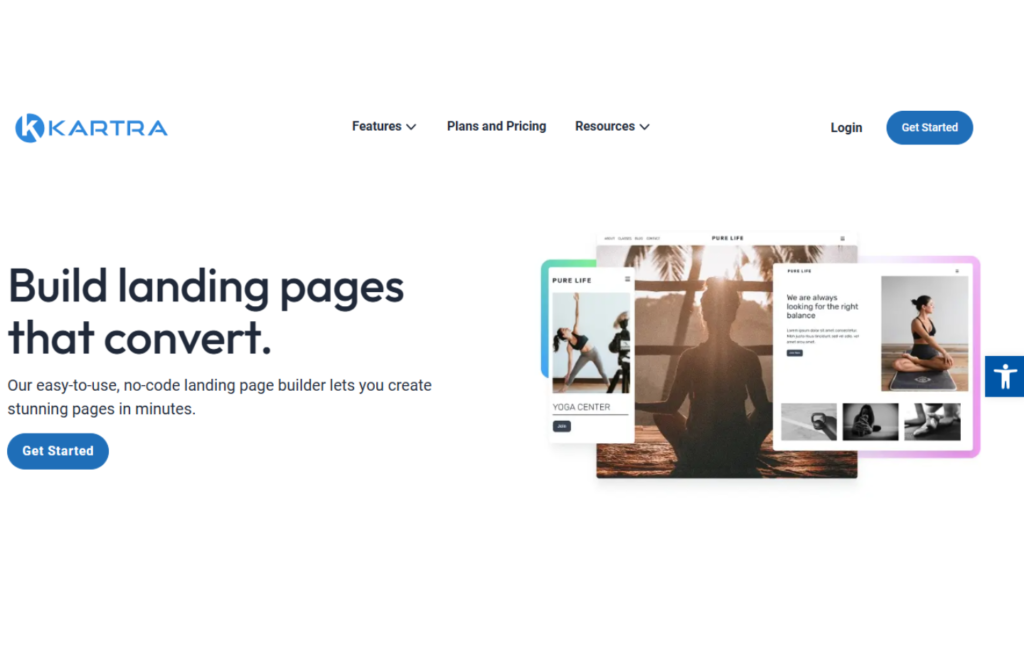
Kartra templates are pre-built layouts within the Kartra platform, designed to simplify and accelerate the creation of marketing assets. Whether it’s a landing page to collect leads or an email sequence to nurture customers, these templates provide a professional starting point.
Each template is crafted with marketing best practices in mind, ensuring they’re optimized for conversions, engagement, and brand-building. Additionally, Kartra templates are fully customizable, enabling businesses to add their unique branding elements like logos, colors, fonts, and images.
Why Use Kartra Templates?
Kartra templates are more than just placeholders for content—they are powerful tools designed to streamline your marketing efforts. Below is a detailed breakdown of their key benefits:
| Benefit | Description |
| Time-Saving | Pre-designed templates eliminate the need to start from scratch, saving hours. |
| Professional Design | Templates are created by expert designers to maximize visual appeal. |
| Customization | Modify templates to align with your brand and marketing goals. |
| Mobile Responsiveness | All templates are optimized for smartphones and tablets. |
| Integrated Features | Includes built-in forms, videos, countdown timers, and call-to-action (CTA) buttons. |
By leveraging these benefits, businesses can focus on strategy and content creation rather than spending excessive time on design.
Types of Kartra Templates
Kartra offers a variety of templates to suit different marketing needs. Here’s a detailed overview:
| Template Type | Purpose | Examples |
| Landing Page Templates | Drive conversions by capturing leads or sales. | Webinar Registration, Product Pages |
| Email Templates | Streamline communication and increase engagement. | Newsletters, Drip Campaigns |
| Sales Funnel Templates | Automate and optimize the customer journey. | Upsell Funnels, Checkout Pages |
| Website Templates | Build fully functional websites effortlessly. | Portfolio, Service Pages |
| Membership Site Templates | Offer exclusive content to paying subscribers. | Online Courses, Subscription Content |
Each template type is designed for a specific marketing goal, making it easier to execute campaigns tailored to your business needs.
How to Choose the Right Kartra Template?
Selecting the right template can significantly impact your campaign’s success. Here’s what to consider:
| Criteria | What to Look For |
| Purpose | Define your goal: lead generation, sales, or engagement. |
| Target Audience | Select templates that resonate with your audience’s preferences. |
| Features | Ensure the template includes necessary elements like forms, CTAs, or videos. |
| Branding Needs | Pick a template that allows easy customization to match your brand identity. |
| Device Compatibility | Verify the template is responsive on mobile, desktop, and tablet devices. |
For example, if you’re launching an eBook, a landing page template with a lead capture form would be ideal.
How to Customize Kartra Templates?
One of Kartra’s standout features is its intuitive drag-and-drop editor, which makes customization simple and efficient. Follow these steps to make the most out of your Kartra templates:
- Choose the Right Template: Start by browsing the template library and selecting the one that fits your campaign goals.
- Replace Content: Edit placeholder text, images, and videos to reflect your unique messaging and visuals.
- Reorganize Sections: Move or delete sections using the drag-and-drop functionality to tailor the layout to your needs.
- Add Features: Include interactive elements like pop-ups, countdown timers, or embedded videos to enhance user engagement.
- Preview and Test: Before publishing, preview your template across devices to ensure responsiveness and usability.
Proven Strategies for Success with Kartra Templates
To maximize the effectiveness of your Kartra templates, consider these strategies:
- A/B Testing: Test multiple versions of a template to determine what works best for your audience.
- Strong CTAs: Use compelling call-to-action buttons to guide users toward desired actions.
- Minimalistic Design: Avoid clutter; focus on clear, concise messaging.
- Consistency: Ensure your templates align with your overall brand aesthetics and voice.
- Data Tracking: Use Kartra’s built-in analytics to monitor performance and refine your approach.
Conclusion
Kartra templates are a game-changer for businesses seeking to create high-quality marketing materials quickly and efficiently. From landing pages to email campaigns and membership sites, these templates are versatile, customizable, and designed to deliver results. By leveraging Kartra’s built-in tools and analytics, you can elevate your marketing efforts and drive meaningful engagement.
| Pro Tip: Start with one of Kartra’s professionally designed templates and gradually experiment with different layouts and elements. This will help you identify the best-performing designs for your business. |
Also Read: https://appsaware.com/kartra-pricing-plans
FAQs about Kartra Templates
1. What is the cost of using Kartra templates?
Kartra templates are included in all subscription plans, so you don’t need to pay extra to use them.
2. Can I customize Kartra templates?
Yes, Kartra templates are fully customizable. You can modify text, images, layouts, and features to suit your needs.
3. Are Kartra templates mobile-responsive?
Absolutely! All Kartra templates are designed to work seamlessly across devices, including smartphones and tablets.
4. Can I create and save my own templates?
Yes, Kartra allows you to create custom templates and save them for future use, streamlining your workflow.
5. Are there templates for e-commerce businesses?
Yes, Kartra offers specialized templates for e-commerce, including product pages and checkout flows.

Srishti Gaur is an accomplished SEO Associate with a strong background in content creation and software technology. With a knack for crafting strategies that drive traffic and improve search rankings, she combines her expertise in SEO with a deep understanding of tech tools and platforms. Passionate about bridging the gap between technology and impactful content, Srishti helps businesses grow their online presence and achieve measurable results.