If you’re looking to create and sell online courses, you’ve likely come across Kajabi and Teachable—two of the most popular platforms in the e-learning industry. Both offer powerful tools to help you build and monetize your courses, but they cater to different types of users.
Kajabi is an all-in-one solution designed for entrepreneurs who want to not only create courses but also handle marketing, automation, and memberships—all within a single platform. On the other hand, Teachable is a simpler, more affordable option focused primarily on course creation and student management, making it ideal for educators and new course creators.
So, which one should you choose? In this detailed comparison, we’ll break down their features, pricing, marketing tools, course creation capabilities, and overall ease of use to help you decide which platform best suits your needs.
Disclaimer: This article is based on publicly available information. Please verify pricing and features on the official websites, as updates may have occurred.
Table of Contents
Teachable vs. Kajabi: A QuickComparison
| Feature | Teachable | Kajabi |
| Type | Freemium | Premium |
| Pricing 💰 | Starts at $59/month | Starts at $89/month |
| Transaction Fees 💸 | $1 + 10% per transaction on the free plan; 5% on the Basic plan | 0% |
| Mobile App 📱 | iOS only | iOS and Android |
What I Appreciate About Kajabi Compared to Teachable:
- All-in-One Platform: Kajabi consolidates essential tools—email marketing, sales funnels, automations, site building, and blogging—into a single platform, offering more than just basic functionalities.
- Built-In Funnel Builder: Similar to ClickFunnels, Kajabi provides a visual funnel builder, enabling the setup of landing pages, automation rules, and email sequences.
- Advanced Automations: Kajabi’s features integrate seamlessly, reducing reliance on external services like Zapier.
- Email Marketing Tools: Robust tools for sending broadcasts and setting up email sequences are included.
- Dedicated Website/Page Builder: With over 25 customizable blocks, Kajabi’s page builder might eliminate the need for platforms like WordPress.
- Gamified Communities: In 2025, community engagement is vital. Kajabi offers gamification features and built-in live streaming to foster interactive communities.
- Events Feature: Hosting live streams or coaching sessions is straightforward with Kajabi’s integrated streaming capabilities, eliminating the need for third-party services.
- Comprehensive Mobile Apps: Kajabi provides feature-rich iOS and Android apps, complete with notifications and in-app purchases, enhancing the user experience.
What I Appreciate About Teachable Compared to Kajabi:
- Free Plan with Transaction Fees: Teachable offers a free plan, though it includes a $1 + 10% transaction fee per sale. In contrast, Kajabi provides a 14-day free trial without a free plan.
- Flexible Lesson Builder: Teachable allows the combination of various content types within a single lesson, including the embedding of code or upsells.
Cost-Effective Options: Teachable’s plans start at $59/month, albeit with a 5% transaction fee and a limit of five products. Kajabi’s entry-level plan begins at $89/month.
What is Kajabi?
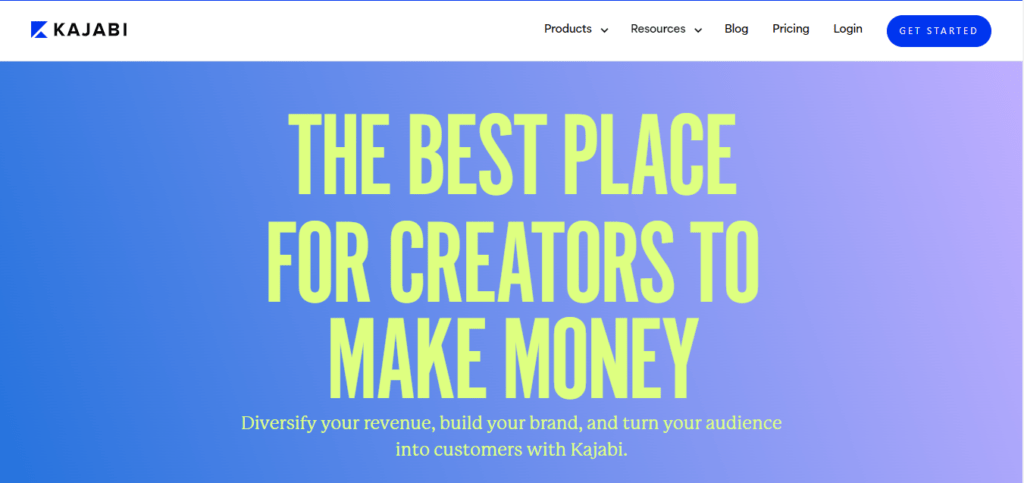
Kajabi is an all-in-one platform designed to help entrepreneurs create, market, and sell online courses, memberships, and digital products. It offers a comprehensive suite of tools, including website building, email marketing, sales funnels, and community features, eliminating the need for multiple third-party integrations.
Who Should Use Kajabi?
Kajabi is ideal for:
- Established businesses and entrepreneurs looking for a unified platform to manage their online presence.
- Course creators who require advanced marketing tools and automation.
- Individuals seeking to build membership sites with integrated community features
What is Teachable?
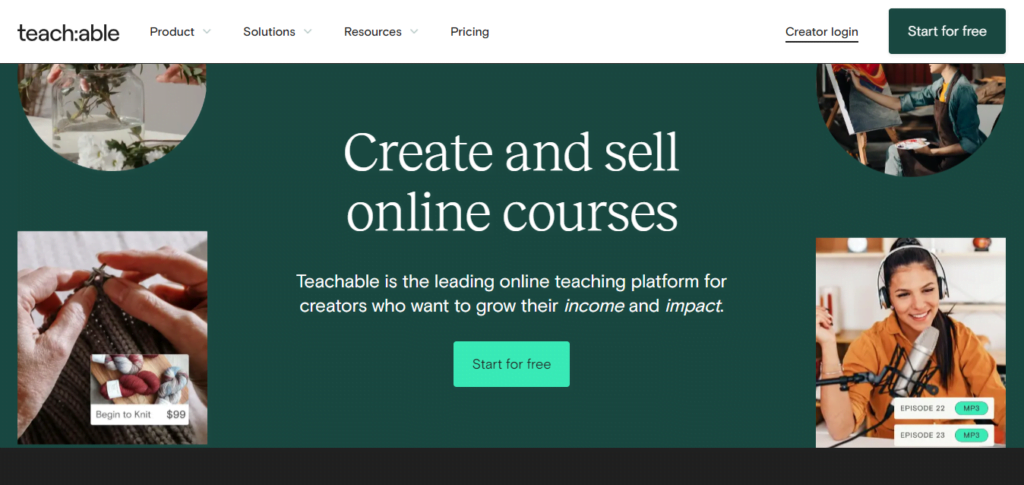
Teachable is a user-friendly platform focused on helping educators and creators build and sell online courses and coaching services. It provides essential tools for course creation, student management, and basic marketing, making it accessible for those new to online teaching.
Who Should Use Teachable?
Teachable is suitable for:
- New course creators and educators who prioritize ease of use and straightforward course delivery.
- Individuals or small businesses looking for a cost-effective solution to launch their first online course.
- Creators who prefer simplicity and are willing to integrate additional tools as their needs grow.
Course Creation
A robust course creation tool is essential for building and selling online courses effectively. Both Kajabi and Teachable offer features tailored to course creators, but they differ in customization, ease of use, and flexibility.
Kajabi
Kajabi is an all-in-one platform designed for digital entrepreneurs. Its course creation tools are advanced, allowing users to build structured courses with lessons, modules, and quizzes. The interface is sleek, and the platform supports multiple content formats, including video, audio, PDFs, and interactive assessments.
Kajabi also provides automation tools that enable creators to set up drip courses, lock content behind prerequisites, and deliver personalized learning experiences. However, the extensive customization options can create a learning curve for beginners.
Teachable
Teachable is known for its simplicity and ease of use. It focuses primarily on course creation and provides a straightforward course builder. Users can upload videos, PDFs, and other learning materials, but it lacks the advanced automation features that Kajabi offers.
Teachable’s strength lies in its flexible pricing model, allowing course creators to choose between free, subscription-based, or one-time payment models. However, customization options for course delivery are more limited than Kajabi.
Comparison Table: Course Creation
| Feature | Kajabi | Teachable |
| Course Builder | Highly customizable with automation features ✅ | Simple and beginner-friendly, but limited customization ❌ |
| Content Support | Supports videos, audio, PDFs, quizzes, and assessments ✅ | Supports videos, PDFs, and text but lacks advanced features ❌ |
| Automation | Advanced drip content, assessments, and email automation ✅ | Basic drip content, but lacks robust automation ❌ |
| Customization | Full control over course structure, themes, and branding ✅ | Limited customization options ❌ |
🌟 Winner: Kajabi – If you need automation and extensive customization, Kajabi is the better option. However, if simplicity is your priority, Teachable may be easier to start with.
Analytics & Reporting
Data-driven decisions are crucial for growing an online course business. Analytics tools help track student progress, engagement, and sales performance.
Kajabi
Kajabi provides comprehensive analytics, including detailed insights on student engagement, sales trends, email performance, and marketing campaigns. It allows course creators to track video watch time, completion rates, and revenue reports all in one place.
Additionally, Kajabi offers integration with Google Analytics and Facebook Pixel, allowing you to track external traffic sources and user behavior effectively.
Teachable
Teachable also provides basic reporting on student enrollment, course completion rates, and revenue. However, its analytics dashboard is not as detailed as Kajabi’s. While Teachable does allow integration with Google Analytics and third-party tools, it lacks built-in marketing analytics like Kajabi.
Comparison Table: Analytics & Reporting
| Feature | Kajabi | Teachable |
| Student Engagement Tracking | Tracks video watch time, quiz scores, and completion rates ✅ | Basic student progress tracking ❌ |
| Revenue & Sales Reports | Advanced sales insights, marketing analytics, and revenue breakdown ✅ | Limited sales reporting and revenue tracking ❌ |
| Third-Party Integrations | Google Analytics, Facebook Pixel, and advanced CRM tools ✅ | Google Analytics integration, but fewer built-in marketing insights ❌ |
| Marketing Analytics | Built-in email performance and automation tracking ✅ | No built-in marketing analytics ❌ |
🌟 Winner: Kajabi – Kajabi provides more detailed analytics and reporting, making it the better choice for those who want to optimize their sales and marketing strategies. However, if you only need basic course performance tracking, Teachable is still a solid option.
Pricing Comparison
Kajabi Pricing
| Plan | Price (Annual) | Price (Monthly) | Key Features |
| Kickstarter | $71/mo | $89/mo | 1 Website, 1 Product + 1 Community, 250 Contacts, 7,500 Emails |
| Basic | $119/mo | $149/mo | 1 Website, 3 Products, 10,000 Contacts, Unlimited Emails |
| Growth | $159/mo | $199/mo | 1 Website, 15 Products, 25,000 Contacts, Affiliate Programs |
| Pro | $319/mo | $399/mo | 3 Websites, 100 Products, 100,000 Contacts, Custom Code Editor |
✔ No Transaction Fees
✔ Advanced Features Included
Read More: Kajabi Pricing
Teachable Pricing
| Plan | Price (Annual) | Price (Monthly) | Key Features |
| Free | $0 | $0 | Unlimited Courses, Basic Quizzes, No Payment Processing |
| Basic | $39/mo | $49/mo | Custom Domain, Email Marketing, 5% Transaction Fee |
| Pro | $119/mo | $149/mo | No Transaction Fees, Advanced Reports, Unbranded Website |
| Business | $299/mo | $399/mo | Custom User Roles, Bulk Enrollments, Advanced Customization |
✔ Free Plan Available
❌ Transaction Fees on Basic Plan (5%)
Pricing Comparison: Kajabi vs. Teachable
| Feature | Kajabi | Teachable |
| Free Plan | ❌ No | ✅ Yes |
| Starting Price (Annual) | $71/mo | $39/mo |
| Starting Price (Monthly) | $89/mo | $49/mo |
| Highest Plan (Annual) | $319/mo | $299/mo |
| Highest Plan (Monthly) | $399/mo | $399/mo |
| Transaction Fees | ❌ No | ✅ 5% on Basic Plan |
| Number of Websites | 1-3 (depending on plan) | 1 |
| Number of Products | 1 – 100 | Unlimited |
| Marketing Emails | Unlimited (except Kickstarter) | Limited |
| Affiliate Program | ✅ Yes (Growth & Pro) | ✅ Yes (Pro & Business) |
| Custom Branding | ✅ Yes | ✅ Yes |
| Advanced Customization | ✅ Yes (Pro Plan) | ✅ Yes (Business Plan) |
🌟 Winner: Tie
- Teachable wins for affordability and a free plan.
- Kajabi wins for advanced features and no transaction fees.
Choose Teachable if you’re just starting out and need a budget-friendly option. Choose Kajabi if you want an all-in-one platform with premium features.
Community & Gamification
Creating an engaged learning community and incorporating gamification can significantly enhance the user experience for online courses.
Kajabi
Kajabi provides built-in community features through its “Kajabi Communities” tool, allowing course creators to host discussions, challenges, and interactive posts. The platform also supports gamification through progress tracking, badges, and leaderboards. However, these features come at an additional cost, as Kajabi Communities is not included in the standard plans.
Teachable
Teachable offers a basic community feature, allowing students to leave comments under course lessons. However, it lacks an in-depth community-building tool like Kajabi’s. Teachable does not provide built-in gamification features, so users need third-party integrations to add leaderboards or reward systems.
| Feature | Kajabi | Teachable |
| Built-in Community Tool | Yes (Kajabi Communities, but costs extra) ✅ | Basic discussion feature ❌ |
| Gamification Features | Yes (badges, progress tracking, leaderboards) ✅ | No built-in gamification ❌ |
| Student Engagement | High due to interaction & challenges ✅ | Limited engagement options ❌ |
🌟 Winner: Kajabi – If you want a vibrant community and gamification options without needing third-party tools, Kajabi is the clear choice.
Design & Customization
A course platform should provide enough design flexibility to match your brand and create an engaging learning experience.
Kajabi
Kajabi offers extensive design customization with a variety of themes and a powerful website builder. Users can modify landing pages, course layouts, and sales pages with a simple drag-and-drop editor. Advanced users can also tweak code for deeper customization.
Teachable
Teachable has a simpler design editor, primarily allowing users to change colors, fonts, and basic branding elements. While it offers some customization, it doesn’t provide the same level of flexibility as Kajabi. There is no built-in drag-and-drop builder, and advanced customization requires custom coding with Liquid templates.
| Feature | Kajabi | Teachable |
| Website Builder | Drag-and-drop editor ✅ | Basic customization, no drag-and-drop ❌ |
| Course Design Flexibility | Highly customizable with themes & templates ✅ | Limited customization options ❌ |
| Custom Coding Support | Yes, full control over CSS & HTML ✅ | Yes, but limited to Liquid templates ✅ |
🌟 Winner: Kajabi – If design flexibility is a priority, Kajabi offers far more control over branding and customization.
Sales & Marketing
A strong sales and marketing suite can help course creators attract and convert more students.
Kajabi
Kajabi is a complete marketing platform, offering email marketing, automation, funnels, and upsells. It also includes powerful sales tools like one-click upsells, order bumps, and built-in checkout pages with high customization.
Teachable
Teachable provides essential sales tools such as coupon codes, affiliate programs, and payment processing. However, it lacks advanced funnel-building features and automation. To get email marketing and automation, users need to integrate third-party tools like ConvertKit or Mailchimp.
| Feature | Kajabi | Teachable |
| Built-in Email Marketing | Yes ✅ | No, requires third-party tools ❌ |
| Sales Funnels & Automation | Yes, advanced funnels ✅ | No built-in funnel system ❌ |
| Upsells & Order Bumps | Yes, one-click upsells ✅ | Limited upsell options ❌ |
🌟 Winner: Kajabi – If you need an all-in-one marketing solution, Kajabi is the better choice.
Mobile Apps
With more learners accessing courses on mobile, having a strong mobile experience is crucial.
Kajabi
Kajabi offers a dedicated mobile app for both iOS and Android, allowing students to access courses on the go. The app provides a seamless learning experience with offline viewing, push notifications, and community interaction.
Teachable
Teachable also has a mobile app, but it is only available for iOS. Android users must access the platform through a mobile browser, which is less convenient. The Teachable app allows students to watch courses but lacks the full functionality of Kajabi’s app, such as community engagement.
| Feature | Kajabi | Teachable |
| iOS App | Yes ✅ | Yes ✅ |
| Android App | Yes ✅ | No ❌ |
| Offline Viewing | Yes ✅ | Yes ✅ |
| Community Access | Yes ✅ | No ❌ |
🌟 Winner: Kajabi – With full mobile support on both iOS and Android, Kajabi provides the best mobile experience.
Integrations
Integrations are essential for extending the functionality of your online course platform, allowing seamless connections with other tools and services.
Kajabi
Kajabi offers a variety of native integrations to enhance your business operations. These include payment gateways like Stripe and PayPal, email marketing services such as Mailchimp, Aweber, Drip, ConvertKit, and ActiveCampaign, and analytics tools like Segment, Google Analytics, and Facebook Pixel. Additionally, Kajabi supports integration with Zapier, enabling connections to numerous other third-party applications.
Teachable
Teachable provides a range of integrations through its App Hub, connecting your school to various email service providers, community platforms, and analytics services. Notable integrations include Mailchimp, ConvertKit, ActiveCampaign, and Zoom. Teachable also supports Zapier, allowing access to over 2,000 apps for extended functionality.
Comparison Table: Integrations
| Feature | Kajabi | Teachable |
| Native Integrations | Stripe, PayPal, Mailchimp, Aweber, Drip, ConvertKit, ActiveCampaign, Segment, Google Analytics, Facebook Pixel | Mailchimp, ConvertKit, ActiveCampaign, Zoom |
| Zapier Support | Yes | Yes |
| Integration Directory | Extensive | Moderate |
🌟 Winner: Kajabi – With a broader range of native integrations, Kajabi offers more flexibility for creators seeking to connect various tools without relying heavily on third-party services.
Support
Reliable customer support ensures that you can resolve issues promptly and keep your operations running smoothly.
Kajabi
Kajabi provides 24/7 customer support via live chat and email, but live chat is only available for Growth and Pro plan users. Basic plan users can still access email support, but response times may vary.
In addition to direct support, Kajabi offers:
- Kajabi University – A free learning hub with courses on using the platform.
- Help Center – A detailed knowledge base with guides and tutorials.
- Community Support – A large Facebook group where users can connect and share insights.
Teachable
Teachable offers different levels of support based on the plan:
- Basic Plan – Email support only (with slower response times).
- Pro Plan and Above – Priority support with live chat availability during business hours.
- Business Plan – Dedicated account manager for personalized assistance.
Teachable also provides:
- Teachable Knowledge Base – A self-help portal with step-by-step guides.
- TeachableHQ Community – A user forum for peer support.
| Feature | Kajabi | Teachable |
| 24/7 Live Chat | Yes (Growth & Pro plans) ✅ | No, only during business hours ❌ |
| Email Support | Yes (all plans) ✅ | Yes (all plans) ✅ |
| Priority Support | Yes (Growth & Pro plans) ✅ | Yes (Pro & Business plans) ✅ |
| Dedicated Account Manager | No ❌ | Yes (Business plan) ✅ |
| Community Support | Facebook group ✅ | TeachableHQ forum ✅ |
🌟 Winner: Kajabi – With 24/7 live chat support on higher plans and a strong community, Kajabi provides faster and more accessible support compared to Teachable. However, if you need a dedicated account manager, Teachable’s Business plan is a better option.
Pros and Cons of Kajabi
Pros
✅ Comprehensive Course Creation Tools
Kajabi excels at providing all the tools you need for creating and selling courses. Features like quizzes, certificates, and detailed progress tracking enhance the learning experience for your students.
✅ Advanced Marketing Automation
Kajabi offers robust automation features, allowing you to set up email sequences, segment your audience, and personalize communication based on behavior. This is a great way to boost engagement and conversions.
✅ Premium Look & Feel
Kajabi’s design is sleek and professional, providing an elegant and branded experience that elevates your business’s image.
✅ Mobile Access
Kajabi’s mobile app allows both course creators and students to manage and consume content on the go—perfect for busy professionals and learners.
✅ Excellent Customer Support
With live chat, an extensive knowledge base, and a strong community of course creators, Kajabi ensures that users have the help they need, when they need it.
✅ Customizable Website & Landing Pages
Kajabi offers a drag-and-drop builder that allows you to create high-converting landing pages and websites that are fully customizable to suit your brand.
✅ Podcast & Membership Site Hosting
Unlike Teachable, Kajabi includes podcast hosting and membership site features, giving you the tools to expand your content offerings and engage with your audience in more diverse ways.
Cons
❌ High Pricing
Kajabi’s pricing starts at $149/month, which might be too steep for small businesses or beginners just starting out.
❌ Steeper Learning Curve
Kajabi is feature-rich, which can make the platform harder to navigate for beginners compared to Teachable.
❌ No Sales Funnel Builder
Kajabi lacks a dedicated sales funnel builder, which means you may have to set up sequences manually, which could be time-consuming.
❌ Transaction Fees on Lower Plans
If you choose one of the lower-tier pricing plans, Kajabi will charge transaction fees, which can eat into your profits.
Pros and Cons of Teachable
Pros
✅ User-Friendly Interface
Teachable is known for its intuitive and easy-to-use interface, making it a great choice for beginners and entrepreneurs who want a simple solution to sell courses.
✅ Affordable Pricing Plans
Teachable offers a free plan and lower-priced paid plans, making it accessible for course creators on a budget.
✅ Strong Course Creation Features
Teachable provides all the essential course creation tools, including video hosting, quizzes, and student progress tracking.
✅ No Transaction Fees on Higher Plans
With Teachable’s higher-tier plans, you won’t have to pay transaction fees, allowing you to keep more of your earnings.
✅ Integrated Payment Processing
Teachable allows you to accept payments directly on the platform, making the process streamlined and simple.
✅ Customizable Branding
Teachable offers options to customize your course website, including the ability to add your own branding and domain name.
Cons
❌ Limited Marketing Features
Teachable lacks advanced marketing automation tools compared to Kajabi. If you need detailed segmentation or workflow creation, you might find Teachable limiting.
❌ Basic Design Customization
While Teachable offers some customization options, its design capabilities are not as flexible or polished as Kajabi’s, limiting your ability to create a highly branded experience.
❌ Limited Integrations
While Teachable offers some third-party integrations, it doesn’t have as many options as Kajabi, which may be a limitation for users who rely on external tools.
❌ No Mobile App for Admins
Unlike Kajabi, Teachable does not offer a mobile app for course creators to manage their courses on the go, which could be a downside for busy entrepreneurs.
Which One Should You Choose?
💡 Go with Kajabi if:
✅ You need a premium, all-in-one platform with advanced marketing features, automation, and high-quality course creation tools.
✅ You want a sleek, professional design and the ability to engage your audience with podcasts and membership sites.
✅ You prefer having access to a mobile app and a supportive community of course creators.
💡 Go with Teachable if:
✅ You are a beginner or have a small budget and need an affordable platform for creating and selling courses.
✅ You want an easy-to-use platform with all the essential features for course creation and student engagement.
✅ You are looking for a solution without high upfront costs and unnecessary complexity.
Final Thoughts
Kajabi and Teachable both have strengths and are suited to different types of course creators. If you’re looking for an advanced, all-in-one platform with top-tier marketing and community features, Kajabi is the way to go.
However, if you’re just starting out or need a more affordable option, Teachable could be your best fit. Test them both out with their free trials and see which platform works best for your business!
FAQs
1. Is Kajabi or Teachable better for beginners?
Teachable is generally better for beginners due to its simplicity and lower cost.
2. Can I migrate my courses from one platform to another?
Yes, both platforms offer options to migrate courses, though the process may vary.
3. Which platform offers better customer support?
Kajabi provides 24/7 support, which is more comprehensive compared to Teachable’s support options.
4. Are there any hidden fees with Kajabi or Teachable?
Both platforms are transparent with their pricing, but it’s essential to review the details of each plan to understand potential additional costs.
5. How do I choose between Kajabi and Teachable?
Consider your budget, required features, and level of experience. Kajabi is best for those needing an all-in-one solution, while Teachable is ideal for those seeking a straightforward, cost-effective platform.

Srishti Gaur is an accomplished SEO Associate with a strong background in content creation and software technology. With a knack for crafting strategies that drive traffic and improve search rankings, she combines her expertise in SEO with a deep understanding of tech tools and platforms. Passionate about bridging the gap between technology and impactful content, Srishti helps businesses grow their online presence and achieve measurable results.