
Choosing the right platform for your business or course creation needs is crucial. Kartra and Teachable are two popular platforms catering to different audiences. Kartra provides an all-in-one marketing platform with tools for funnels, memberships, and automation, while Teachable specializes in creating, hosting, and selling online courses.
Did you know? The e-learning market is projected to grow to $325 billion by 2025. Whether you’re a marketer or a course creator, this guide will help you choose between Kartra and Teachable.
| Disclaimer: This article is for informational purposes only. Verify features and pricing on the official Kartra and Teachable websites as they may change over time. |
Table of Contents
Kartra vs Teachable: Quick & Simple Comparison
| Feature | Kartra | Teachable |
| Ease of Use | Comprehensive tools with a learning curve. | User-friendly interface, ideal for beginners. |
| Course Creation | Integrated with marketing tools for seamless course delivery. | Robust course creation with AI curriculum generator and design templates. |
| Marketing Automation | Advanced multi-channel automation including email and SMS. | Basic email marketing features. |
| Sales Funnels | Comprehensive funnel creation and mapping tools. | Lacks native sales funnel features. |
| Membership Sites | Built-in membership site capabilities. | Supports memberships with course bundles. |
| Webinars | Native webinar integration for live and automated sessions. | Requires third-party integrations for webinars. |
| Landing Pages | Fully customizable templates with drag-and-drop builder. | Basic landing page customization. |
| Integrations | Moderate third-party integrations. | Extensive third-party integrations. |
| Customer Support | 24/7 chat and email support. | Email support and community forum. |
| Pricing | Starts at $119/month. | Starts at $39/month. |
| Free Trial | 14-day trial for $1. | Free plan available. |
| Best For | Entrepreneurs seeking an all-in-one marketing solution. | Educators focusing primarily on course creation and delivery. |
What is Kartra?
What Is Kartra?
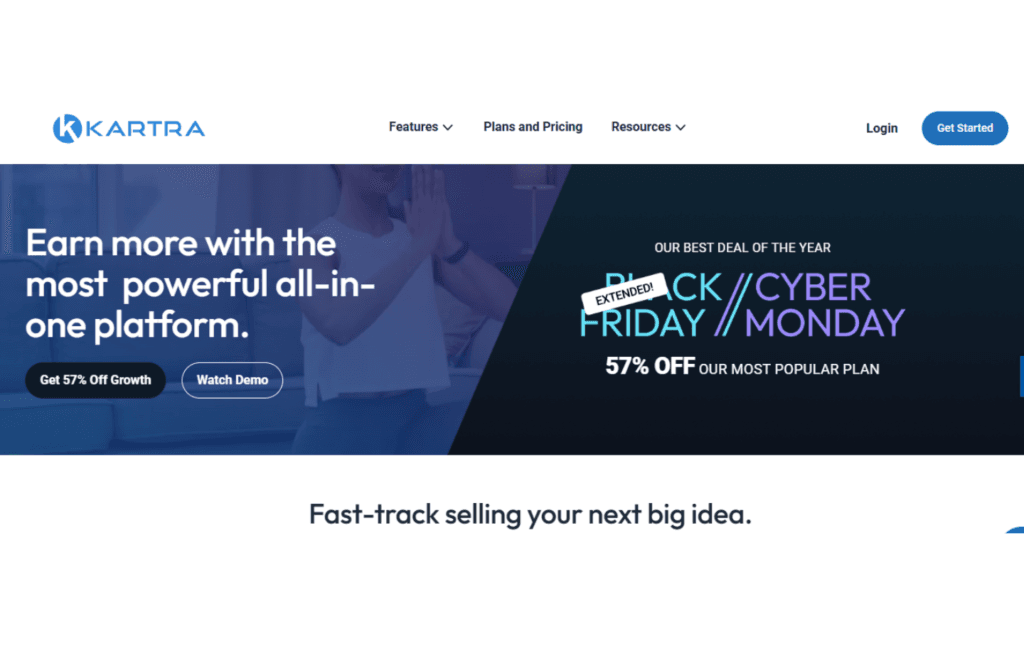
Kartra is an all-in-one marketing platform designed to streamline online business operations. It integrates various tools, including sales funnels, email automation, course hosting, and lead management, into a single system. Launched in 2018 by the creators of WebinarJam, Kartra has become a preferred choice for digital entrepreneurs seeking a comprehensive business management solution.
Who Should Use Kartra?
Kartra is ideal for:
- Entrepreneurs managing online sales and marketing.
- Course creators and coaches offering memberships.
- Small businesses seeking a complete marketing solution.
- Agencies handling multiple clients (with higher-tier plans).
If you’re looking for a centralized platform to manage marketing, sales, and automation, Kartra is a solid option.
What is Teachable?
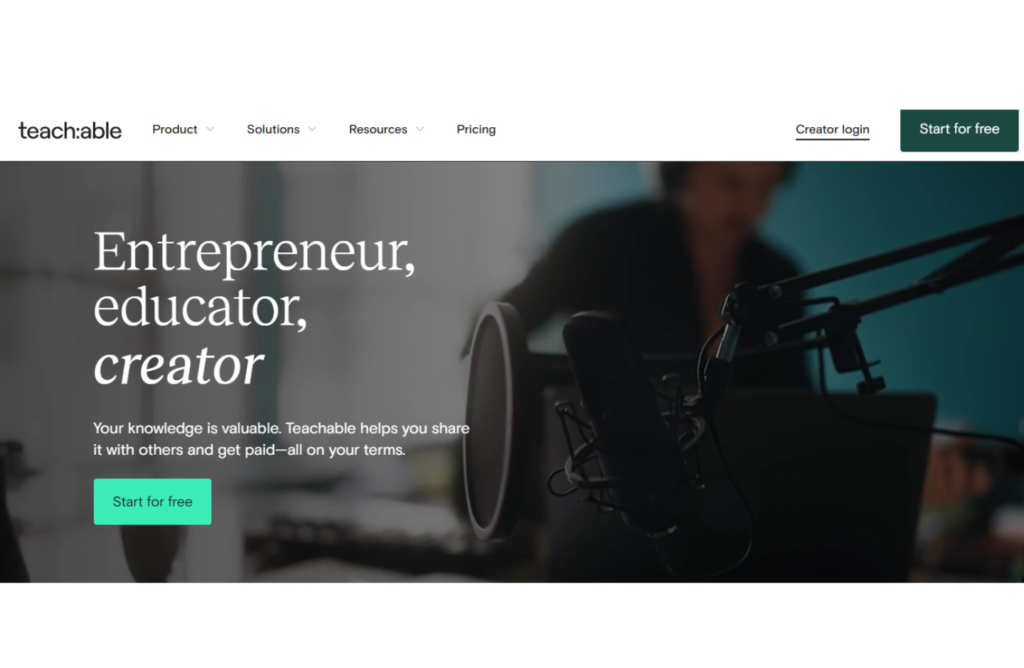
Teachable is a user-friendly platform focused on course creation and delivery. It offers tools for building courses, handling payments, and engaging students. With features like an AI curriculum generator and design templates, Teachable simplifies the process of structuring and presenting content.
Who Should Use Teachable?
Teachable is perfect for:
- Educators and instructors aiming to create and deliver courses.
- Individuals seeking a straightforward platform for course management.
- Creators focusing on educational content without extensive marketing needs.
If your primary focus is on course creation and student engagement, Teachable is a great option.
Kartra vs Teachable – Key Similarities and Differences
While both platforms support online course creation, they differ in their approach and additional functionalities.
Similarities
- Both offer tools for creating and managing online courses.
- Each provides options for monetizing content through course sales.
- Both support membership sites and course bundles.
- Each platform offers analytics to track performance.
Differences
| Feature | Kartra | Teachable |
| Ideal For | Businesses needing full marketing automation. | Educators focusing on course creation. |
| Sales Funnels | Advanced funnel creation and mapping tools. | Lacks native sales funnel features. |
| Marketing Automation | Multi-channel automation including email and SMS. | Basic email marketing features. |
| Webinars | Native webinar integration for live and automated sessions. | Requires third-party integrations for webinars. |
| Landing Pages | Fully customizable templates with drag-and-drop builder. | Basic landing page customization. |
| Integrations | Moderate third-party integrations. | Extensive third-party integrations. |
| Customer Support | 24/7 chat and email support. | Email support and community forum. |
User Experience & Ease of Use
A platform should be easy to navigate whether you’re a beginner or an experienced business owner.
Kartra: Advanced but Complex
Kartra is a feature-packed platform that combines multiple business tools into one. While this is beneficial for growing businesses, it can also increase complexity. The dashboard is well-designed, but navigating through various tools like email marketing, landing pages, and membership sites can be overwhelming.
Kartra has a learning curve because of its numerous automation tools, and setting up a fully optimized sales funnel can take time. However, Kartra provides:
✅ Step-by-step tutorials to help beginners
✅ Extensive documentation for troubleshooting
✅ 24/7 customer support for guidance
If you’re comfortable with marketing automation and business tools, Kartra provides powerful features. However, if you’re new to online business, expect a learning period before mastering the platform.
Teachable: Beginner-Friendly & Easy to Use
Teachable is designed exclusively for course creators, making it easy to navigate. The dashboard is clean, simple, and minimalistic. You don’t need technical skills to create and sell courses.
Teachable’s drag-and-drop course builder allows you to upload videos, PDFs, and quizzes with ease. The platform also provides:
✅ Straightforward setup process – Start creating courses within minutes
✅ No coding required – Simple course builder for non-technical users
✅ Minimalist design – Focus on content creation, not complex tools
While Teachable is easier to use, it lacks the advanced sales and marketing tools that Kartra offers. If you need powerful automation, you may need third-party integrations with Teachable.
Comparison Table: User Experience
| Feature | Kartra | Teachable |
| Ease of Use | Advanced features require a learning curve ❌ | Simple and beginner-friendly ✅ |
| Dashboard Design | Packed with marketing tools but overwhelming ❌ | Minimalist and easy to navigate ✅ |
| Learning Curve | Steep, requires time to master ❌ | Quick and easy setup ✅ |
| Onboarding Support | Comprehensive tutorials, webinars, and documentation ✅ | Simple guides and fast setup ✅ |
🌟 Winner: Teachable – If you want a straightforward course creation platform, Teachable is the better choice. However, if you need powerful automation, Kartra is worth learning.
Primary Purpose and Functionality
Understanding the core purpose of each platform will help you decide which aligns with your business needs.
Kartra: All-in-One Business & Marketing Platform
Kartra is designed for business owners, entrepreneurs, and marketers who need a complete digital marketing solution. It combines multiple tools into a single platform, reducing the need for third-party software.
With Kartra, you get:
✔️ Sales funnel builder to create customer journeys
✔️ Email automation with behavior-based triggers
✔️ Membership site management for exclusive content
✔️ Affiliate management to grow sales via partnerships
✔️ Video hosting and analytics for engaging content
Kartra is ideal for businesses that sell digital products, memberships, coaching, or services.
Teachable: Course Creation & Learning Management System
Teachable is built for educators, coaches, and trainers who want to create and sell online courses. Unlike Kartra, it focuses on education, not sales automation.
With Teachable, you can:
✔️ Build online courses with videos, quizzes, and PDFs
✔️ Issue certificates upon course completion
✔️ Drip-feed lessons to students over time
✔️ Provide student engagement tools like quizzes
Teachable is great for teaching and training, but it lacks sales funnels and advanced marketing tools.
Comparison Table: Primary Purpose
| Feature | Kartra | Teachable |
| Main Focus | Sales funnels, marketing, and automation ✅ | Course creation and management ✅ |
| Ideal For | Marketers, entrepreneurs, businesses ✅ | Educators, course creators ✅ |
| Sales & Funnels | Advanced sales automation ✅ | No built-in funnel builder ❌ |
| Course Creation | Basic membership-style content ❌ | Full-fledged learning platform ✅ |
Winner: Tie – Choose Kartra if you focus on sales & marketing, and Teachable if you focus on course creation.
Pricing Structure
Pricing is a major deciding factor for businesses and educators.
Kartra Pricing
Kartra’s pricing is higher because it includes more tools:
- Starter Plan: $119/month (limited users)
- Growth Plan: $229/month (best value)
- Professional Plan: $549/month (unlimited users & automation)
Teachable Pricing
Teachable offers more affordable plans for course creators:
- Basic Plan: $39/month (5% transaction fees)
- Pro Plan: $119/month (no transaction fees)
- Pro Plus: $299/month (advanced features)
Comparison Table: Pricing
| Feature | Kartra | Teachable |
| Cheapest Plan | $99/month ❌ | $0/month (Free Plan) ✅ |
| Most Popular Plan | $199/month ❌ | $119/month ✅ |
| Business Plan | $299/month ✅ | $299/month ✅ |
🌟 Winner: Teachable – More affordable, including a free plan.
Features and Flexibility
A platform’s features determine how scalable and efficient your business operations can be.
Kartra: Packed with Business Features
Kartra includes all the necessary marketing tools in one place. You get:
✔️ Landing page & funnel builder with pre-made templates
✔️ Automated email marketing with triggers & sequences
✔️ Affiliate marketing system to recruit partners
✔️ In-depth analytics for sales tracking
✔️ Built-in video hosting (no need for YouTube or Vimeo)
Teachable: Course-Focused Features
Teachable prioritizes education and provides:
✔️ Course builder with multimedia support
✔️ Quizzes & certificates to engage students
✔️ Drip content scheduling to release lessons over time
✔️ Student engagement tools
Comparison Table: Features
| Feature | Kartra | Teachable |
| Sales Funnel Builder | Yes ✅ | No ❌ |
| Email Marketing | Yes ✅ | Requires third-party integration ❌ |
| Affiliate System | Built-in ✅ | No ❌ |
| Course Creation | Basic ❌ | Advanced ✅ |
🌟 Winner: Kartra – More powerful marketing features, but Teachable is better for online courses.
Sales Funnels vs. Course Creation Focus
Kartra and Teachable serve different purposes, and understanding their core functional focus will help you determine which platform best suits your needs.
Kartra: A Sales Funnel Powerhouse
Kartra is designed for businesses that rely on sales funnels to generate and convert leads. It provides a fully integrated funnel-building system that allows users to create, manage, and automate customer journeys.
Kartra’s sales funnel system includes:
✔️ Pre-built funnel templates – Save time with professionally designed funnels
✔️ Drag-and-drop funnel builder – Customize pages, emails, and checkout flows effortlessly
✔️ Automated lead nurturing – Use email sequences and behavior tracking
✔️ Multi-step sales processes – Create upsells, downsells, and order bumps
✔️ Comprehensive analytics – Track conversions, clicks, and engagement
Kartra allows seamless automation, meaning once a prospect enters your sales funnel, the system automatically follows up, nurtures, and converts them into customers.
This makes Kartra an excellent choice for businesses selling digital products, coaching programs, and memberships that require advanced marketing automation.
Teachable: Focused on Course Creation & Delivery
Teachable, on the other hand, focuses on course creation and student learning experience rather than sales funnels. It offers tools to create, structure, and deliver online courses efficiently.
Teachable’s course creation tools include:
✔️ User-friendly course builder – Easily upload videos, PDFs, quizzes, and more
✔️ Drip content functionality – Release lessons over time for better student engagement
✔️ Completion certificates – Automatically reward students upon finishing a course
✔️ Student tracking and reporting – Monitor progress and engagement
✔️ Course monetization options – Set pricing models, payment plans, and subscriptions
While Teachable does allow basic landing pages and checkout pages, it lacks the sophisticated multi-step funnels that Kartra provides.
To build a comprehensive marketing funnel, Teachable users often need third-party integrations with platforms like ClickFunnels or ConvertKit.
Comparison Table: Sales Funnels vs. Course Creation
| Feature | Kartra | Teachable |
| Sales Funnel Builder | Advanced, built-in ✅ | Not available ❌ |
| Landing Page Builder | Fully customizable ✅ | Basic templates only ❌ |
| Email Automation | Built-in, with sequences and triggers ✅ | Requires third-party integrations ❌ |
| Drip Content | Available but limited ❌ | Designed for structured content release ✅ |
| Student Engagement | Limited ❌ | Quizzes, certificates, and tracking ✅ |
| Optimized for Sales | Yes, advanced funnels and upsells ✅ | No, basic checkout system only ❌ |
🌟 Winner: Kartra – If you prioritize sales and marketing automation, Kartra is the clear winner. However, if teaching and course delivery are your primary focus, Teachable is the better choice.
Integration Capabilities
Integrations play a vital role in ensuring a smooth workflow between different software tools. Let’s compare how Kartra and Teachable handle third-party integrations.
Kartra: All-in-One with Fewer External Needs
Kartra is built as an all-in-one marketing platform, meaning it doesn’t require many third-party integrations. Most essential business tools are already included in the platform.
However, Kartra does support third-party integrations for users who need additional tools, including:
✔️ Payment gateways – Stripe, PayPal, Authorize.net
✔️ Email marketing tools – SMTP, MailGun, SendGrid
✔️ Webinar platforms – Zoom, WebinarJam, EverWebinar
✔️ Analytics & tracking – Google Analytics, Facebook Pixel
✔️ Membership site integration – WordPress, Kajabi
Since Kartra is a closed ecosystem, its integrations are somewhat limited compared to Teachable, but its built-in tools compensate for this.
Teachable: Open Integration System
Unlike Kartra, Teachable relies heavily on third-party integrations to add functionality. The platform itself is primarily focused on course creation, so for advanced sales, marketing, and automation, integrations are necessary.
Teachable supports integrations with:
✔️ Payment gateways – Stripe, PayPal
✔️ Email marketing platforms – ConvertKit, Mailchimp, ActiveCampaign
✔️ CRM software – HubSpot, Salesforce
✔️ Webinar & live session tools – Zoom, YouTube Live
✔️ Zapier integration – Connects Teachable with 5,000+ other apps
With Zapier, Teachable can integrate with nearly any marketing or business tool, providing greater flexibility than Kartra. However, since many features require external software, Teachable users may have higher overall costs due to multiple subscriptions.
Comparison Table: Integration Capabilities
| Feature | Kartra | Teachable |
| Built-in Email Marketing | Yes ✅ | No, requires third-party tools ❌ |
| Built-in Sales Funnel | Yes ✅ | No, requires external funnel software ❌ |
| Third-Party Payment Integration | Stripe, PayPal, Authorize.net ✅ | Stripe, PayPal ✅ |
| Webinar Integration | Limited (Zoom, WebinarJam) ❌ | Full integrations with Zoom, YouTube Live ✅ |
| CRM Integration | Limited (basic tools) ❌ | Advanced CRM integrations (Salesforce, HubSpot) ✅ |
| Zapier Support | Yes ✅ | Yes ✅ |
🌟 Winner: Teachable – If you rely on multiple third-party tools, Teachable provides better flexibility. However, if you want everything built-in, Kartra is the better option.
Pros and Cons of ThriveCart
Pros
✅ One-Time Payment, No Monthly Fees
ThriveCart operates on a lifetime deal, meaning you pay once and get access forever—saving you a significant amount compared to subscription-based platforms.
✅ Robust Checkout & Sales Funnel Features
ThriveCart is primarily a checkout platform, making it one of the best tools for creating high-converting checkout pages, upsells, downsells, and order bumps.
✅ Supports Both Digital & Physical Products
Unlike some competitors, ThriveCart allows users to sell digital products, memberships, courses, subscriptions, and even physical products.
✅ Built-In Affiliate Management System
ThriveCart provides an affiliate management system that lets you create and track affiliate programs with ease—something that usually requires third-party tools.
✅ Seamless Integrations
ThriveCart integrates with major email marketing platforms (ConvertKit, ActiveCampaign, Mailchimp), payment processors (Stripe, PayPal, Apple Pay), and membership site platforms (Teachable, MemberPress).
✅ Powerful Automation & Customization
ThriveCart offers conditional logic, allowing users to set automation rules based on customer actions, such as sending different emails based on purchase behavior.
✅ Automatic Sales Tax Calculation
With built-in tax calculation, ThriveCart simplifies tax compliance by automatically calculating and applying sales tax for different regions.
✅ Easy to Use & Beginner-Friendly
Its drag-and-drop builder and intuitive dashboard make it easy to set up sales funnels, checkout pages, and product offers without technical skills.
Cons
❌ Limited Membership & Course Hosting Features
While ThriveCart allows you to sell memberships and digital products, it lacks a built-in learning management system (LMS) like Kartra, requiring external integrations for course hosting.
❌ No Built-In Email Marketing
ThriveCart does not provide email automation or marketing tools—you must integrate with an external email service provider.
❌ Basic Page Builder
While ThriveCart excels in checkout pages, its landing page customization options are not as flexible or visually advanced as Kartra’s.
❌ Limited CRM & Customer Management Features
ThriveCart focuses mainly on checkout and sales processes, so it lacks a built-in CRM for advanced customer relationship management.
Pros and Cons of Kartra
Pros
✅ All-in-One Marketing Platform
Kartra combines sales funnels, email marketing, CRM, course hosting, membership sites, and automation—eliminating the need for multiple tools.
✅ Advanced Sales Funnel & Automation Features
Kartra provides pre-built sales funnels, automation workflows, and behavioral-based triggers to optimize the customer journey and boost conversions.
✅ Built-In Email Marketing & CRM
Unlike ThriveCart, Kartra has a built-in email autoresponder with automation, segmentation, and follow-up sequences to nurture leads.
✅ Fully Functional Membership Site Builder
Kartra offers a full-fledged membership platform, allowing users to create and manage online courses, gated content, and digital memberships without external integrations.
✅ High-Quality Landing Page & Website Builder
Kartra’s drag-and-drop builder lets you design visually appealing landing pages, sales pages, and full websites with ease.
✅ Integrated Helpdesk & Support System
Kartra includes built-in customer support features, such as live chat, ticketing systems, and a knowledge base for handling customer inquiries efficiently.
✅ Affiliate Management System
Like ThriveCart, Kartra has a built-in affiliate program, but it provides more advanced tracking and reporting tools for affiliate sales.
✅ Video Hosting & Marketing Features
Kartra allows users to host videos directly on the platform, with options for call-to-action buttons, lead capture forms, and engagement tracking.
Cons
❌ Expensive Monthly Subscription
Kartra starts at $99/month, making it significantly more expensive than ThriveCart’s one-time payment model.
❌ Steep Learning Curve
Due to its extensive features, Kartra has a steeper learning curve compared to ThriveCart, requiring more time to set up and optimize.
❌ Transaction Fees on Lower Plans
Kartra charges additional transaction fees on lower-tier plans, which can increase costs for high-volume sellers.
❌ Limited Payment Processor Options
Unlike ThriveCart, which supports multiple payment processors, Kartra mainly relies on Stripe, PayPal, and a few other options.
Final Verdict: Which One Should You Choose?
Both Kartra and Teachable have unique strengths, but they cater to different audiences.
Choose Kartra if:
✅ You need advanced sales funnels and automation
✅ You want built-in marketing tools (email, landing pages, membership sites)
✅ You sell digital products or services that require a structured sales process
✅ You prefer an all-in-one solution without relying on multiple software subscriptions
Choose Teachable if:
✅ You are focused on creating and selling online courses
✅ You need student engagement tools like quizzes, certificates, and progress tracking
✅ You prefer an affordable solution with a free plan to start
✅ You are comfortable using third-party tools for marketing and automation
Overall Winner: It Depends on Your Business Model!
- If marketing and automation are your top priorities → Kartra wins
- If course creation and student engagement matter more → Teachable wins
Both platforms excel in their respective areas, so your business model and goals should determine your choice. 🚀
FAQs
1. Which platform is better for course creation?
Teachable is specifically designed for course creation, making it the better choice.
2. Does Kartra support course hosting?
Yes, Kartra supports basic course hosting through its membership tools.
3. Which platform is more affordable for beginners?
Teachable’s free plan and entry-level pricing are ideal for beginners.
4. Does Teachable offer email marketing tools?
No, Teachable requires integrations with third-party email marketing platforms.
5. Does Kartra have a free plan?
No, Kartra does not have a free plan but offers a 14-day trial for $1.

Srishti Gaur is an accomplished SEO Associate with a strong background in content creation and software technology. With a knack for crafting strategies that drive traffic and improve search rankings, she combines her expertise in SEO with a deep understanding of tech tools and platforms. Passionate about bridging the gap between technology and impactful content, Srishti helps businesses grow their online presence and achieve measurable results.