Ever wondered whether Kajabi or Thinkific is the right platform for your online course business? Both platforms cater to course creators, offering tools to build and sell online courses. However, they serve different needs—one being an all-in-one business platform, while the other focuses primarily on course creation and delivery. Having explored both platforms extensively, I can break down their differences to help you determine which aligns with your goals.
Disclaimer: This article is based on publicly available information. Please verify pricing and features on the official websites, as updates may occur.
Table of Contents
Kajabi vs Thinkific: Quick & Simple Comparison
| Feature | Kajabi | Thinkific |
| Ease of Use | Beginner-friendly with comprehensive tools | Intuitive for course creation but lacks advanced marketing features |
| Onboarding | Tutorials, step-by-step guides, and personalized action plans | Clear onboarding with easy-to-use course builder |
| Course Creation | Drag-and-drop builder with customizable templates | Powerful drag-and-drop builder with multiple content formats |
| Learning Experience | Supports quizzes, assignments, and live video sessions | Offers quizzes, certificates, and content dripping; lacks native live streaming |
| Student Assessment | Basic quizzes and assignments | Advanced assessments with integration options |
| Communities | Robust community-building tools with live streaming | Basic community features with limited engagement tools |
| Memberships | Supports recurring revenue through memberships | Allows selling courses and communities as membership packages |
| Marketing and Sales | Comprehensive tools including email marketing, funnels, and opt-in forms | Basic website and landing page builder; lacks advanced marketing tools |
| Integrations | Moderate third-party integrations | Extensive third-party integrations |
| Customer Support | 24/7 chat and email support | Email support and community forum |
| Pricing | Starts at $89/month | Starts at $49/month |
| Free Trial | 14-day free trial | Free plan available |
What Is Kajabi?
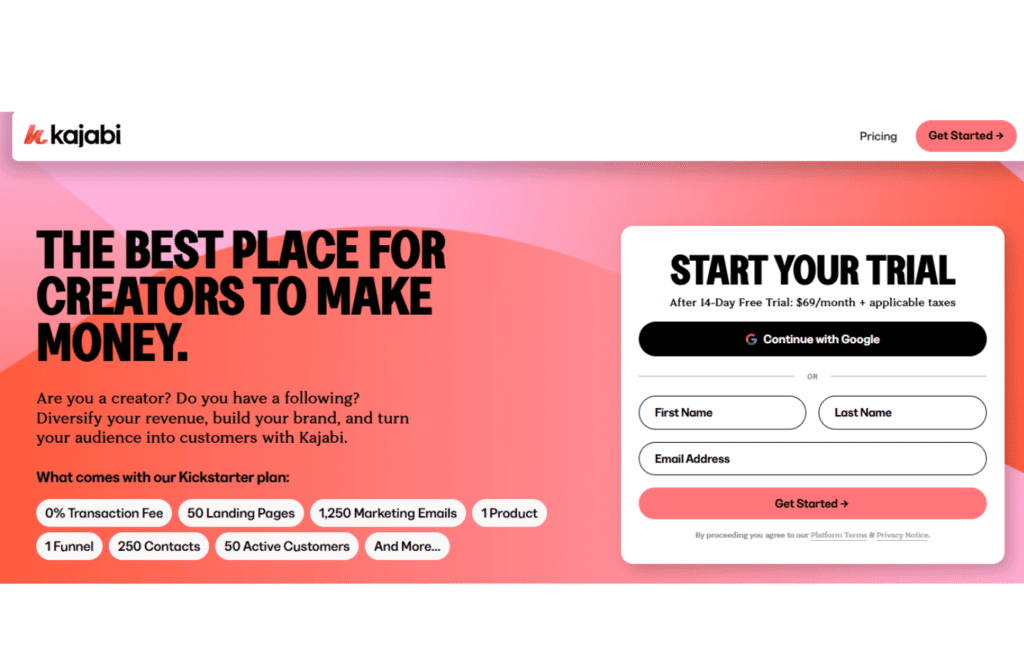
Kajabi is a robust marketing platform that provides an all-in-one solution for running an online business. Whether you need sales funnels, email automation, course hosting, or lead management, Kajabi handles everything in a single system. It was created to offer entrepreneurs a seamless business management system, eliminating the need for multiple third-party tools.
Who Should Use Kajabi?
Kajabi is designed for:
- Entrepreneurs managing online sales and marketing
- Course creators and coaches selling memberships
- Small businesses looking for a complete marketing solution
- Agencies managing multiple clients (with higher-tier plans)
If you want a centralized platform to manage marketing, sales, and automation, Kajabi is a solid option.
What Is Thinkific?
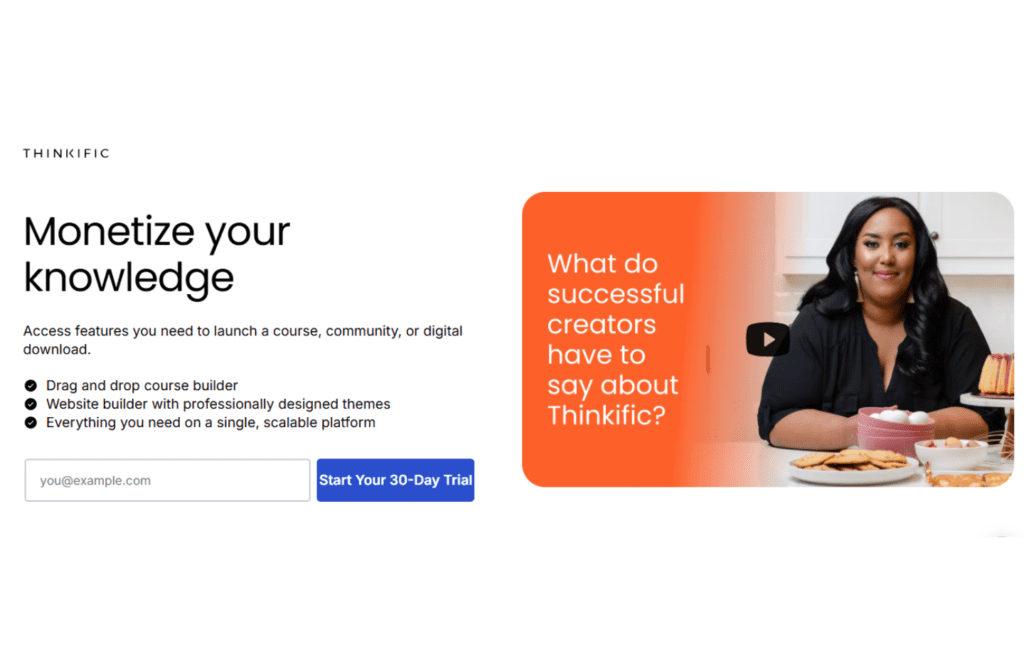
Thinkific is an online course platform primarily designed for educators and entrepreneurs focused on course creation and delivery. It allows users to build courses, create engaging learning experiences, and monetize their knowledge through straightforward tools. While it excels in course creation, Thinkific does not offer advanced marketing automation or business management features like Kajabi.
Who Should Use Thinkific?
Thinkific is perfect for:
- Educators and trainers focusing on course content
- Entrepreneurs seeking a user-friendly course creation platform
- Businesses wanting to provide training without extensive marketing tools
- Creators looking for a cost-effective solution to deliver courses
If your primary focus is on creating and delivering high-quality courses without the need for integrated marketing automation, Thinkific is a great option.
Kajabi vs Thinkific: Key Similarities and Differences
While both platforms offer tools for online education, they differ in their approach. Let’s examine their similarities and differences.
Similarities
- Both offer intuitive course creation with drag-and-drop builders.
- Each provides tools for quizzes and assessments to enhance learning.
- Both integrate with third-party tools to expand functionality.
- Each platform offers a free trial or plan to test its features before committing.
Differences
| Feature | Kajabi | Thinkific |
| Ideal For | Businesses needing full marketing automation | Educators focused on course delivery |
| Marketing Automation | Comprehensive tools including email marketing and sales funnels | Limited; requires third-party integrations |
| CRM & Lead Management | Built-in CRM with contact tracking | Basic student management without full CRM features |
| Membership & Courses | Integrated with marketing tools for seamless sales | Focused on course delivery; memberships available |
| Webinars & Live Sessions | Includes built-in live video sessions | No native live session support |
| Landing Pages | Fully customizable templates with advanced options | Basic landing pages with limited customization |
| Customer Support | 24/7 chat and email support | Email support and community forum |
Pricing
Understanding the cost structure of each platform is crucial for budgeting and long-term planning. Here’s a breakdown of Kajabi and Thinkific’s pricing plans:
Kajabi
Kajabi offers flexible pricing plans tailored to different stages of business growth, all with 0% transaction fees and access to core features like unlimited marketing emails, landing pages, and Kajabi AI tools. Here’s a condensed breakdown:
- Kickstarter: Starting at $71/month (billed annually), this plan includes 1 website, 1 product, 1 community, 250 contacts, 7,500 marketing emails, unlimited landing pages, and a group onboarding call. You’ll also have access to Kajabi AI, Creator Studio, and basic features to help you get started.
- Basic: At $119/month (billed annually), this plan includes 1 website, 3 products, unlimited landing pages and marketing emails, and 10,000 contacts. It also offers Kajabi AI, Creator Studio, and third-party integrations, as well as a group onboarding call to support your launch.
- Growth: Starting at $159/month (billed annually), this plan includes 1 website, 15 products, 25,000 contacts, unlimited landing pages, and unlimited marketing emails. All plans come with 0% transaction fees, 24/7 customer support, and access to Kajabi University.
For the most up-to-date information, visit Kajabi’s official pricing page.
Thinkific
Thinkific provides a range of plans to accommodate various needs, starting with a free option:
- Free: Ideal for beginners, this plan allows you to create up to one course and includes basic features to get you started.
- Basic: Priced at $49/month (billed annually), this plan offers unlimited courses and students, along with email integrations and drip content.
- Start: At $99/month (billed annually), this plan includes all Basic features plus memberships and bundles, advanced course pricing options, and priority support.
- Grow: For $199/month (billed annually), you get all Start features, along with advanced customization, white-labeling, and bulk student enrollments.
For detailed information, refer to Thinkific’s official pricing page.
Comparison Table: Pricing
| Feature | Kajabi | Thinkific |
| Free Plan | Not available | Available with limited features |
| Starting Price | $71/month (billed annually) | $49/month (billed annually) |
| Transaction Fees | 0% | 0% |
| Number of Products/Courses | 1 product on Kickstarter plan; up to 15 on Growth plan | Unlimited courses starting from Basic plan |
| Additional Features | Includes marketing emails, landing pages, Kajabi AI tools, and access to Kajabi University | Offers memberships, bundles, advanced pricing options, and priority support on higher-tier plans |
🌟 Winner: Thinkific
If you’re just starting and prefer a free plan with the option to scale, Thinkific offers more flexibility. However, if you’re looking for an all-in-one solution with integrated marketing tools, Kajabi’s higher starting price might be justified.
Course Creation
The ease and flexibility of course creation can significantly impact your content delivery and student experience. Let’s compare how Kajabi and Thinkific perform in this area.
Kajabi
Kajabi provides a robust course creation experience with the following features:
- Intuitive Builder: Use the drag-and-drop builder to create and organize your course content effortlessly.
- Multimedia Support: Easily incorporate videos, quizzes, assessments, and downloadable files to enhance the learning experience.
- Templates: Access a variety of pre-designed templates to quickly set up your course structure and design.
- Customization: While offering extensive customization options, there might be a learning curve for beginners to fully utilize all features.
For more details, visit Kajabi’s official website.
Thinkific
Thinkific offers a user-friendly course creation process with:
- Drag-and-Drop Editor: Simplify the creation and arrangement of your course content without any coding knowledge.
- Content Variety: Include videos, quizzes, surveys, and downloadable resources to create engaging courses.
- Pre-Built Templates: Utilize templates designed for various course types, making it easier to launch your course quickly.
- Customization: Offers extensive customization options, allowing you to tailor the learning experience to your brand and audience.
For more information, refer to Thinkific’s official website.
Comparison Table: Course Creation
| Feature | Kajabi | Thinkific |
| Course Builder | Drag-and-drop interface | Drag-and-drop interface |
| Multimedia Integration | Supports videos, quizzes, assessments, and downloads | Supports videos, quizzes, surveys, and downloads |
| Templates | Offers a variety of pre-designed templates | Provides pre-built templates for different course types |
| Customization | Extensive options with a potential learning curve for beginners | Extensive options with a user-friendly approach |
🌟 Winner: Tie
Both platforms offer robust course creation tools with intuitive interfaces and extensive customization options. Your choice may depend on which platform’s additional features align better with your business needs.
Marketing & Sales
Your course platform should provide robust marketing and sales tools to help you attract and convert customers.
Kajabi
Kajabi is known for its all-in-one marketing system, allowing users to create and automate sales funnels, email campaigns, and landing pages. With built-in email marketing, upsells, and affiliate marketing tools, Kajabi makes it easy to drive sales without needing third-party integrations. However, its pricing can be high for beginners.
Thinkific
Thinkific offers basic marketing tools but lacks built-in email automation and funnel builders. To run advanced marketing campaigns, users often rely on third-party integrations like Mailchimp, ConvertKit, and Zapier. While this provides flexibility, it can lead to extra costs and a more fragmented experience.
Comparison Table: Marketing & Sales
| Feature | Kajabi ✅ | Thinkific ❌ |
| Built-in Email Marketing | Yes ✅ | No (requires third-party tools) ❌ |
| Sales Funnels & Automation | Yes ✅ | No ❌ |
| Affiliate Marketing | Yes ✅ | Requires integrations ❌ |
| Landing Page Builder | Yes ✅ | Limited ❌ |
| Upsells & Order Bumps | Yes ✅ | Limited ❌ |
🌟 Winner: Kajabi – If you want a fully integrated marketing system without relying on external tools, Kajabi is the clear choice. However, Thinkific can be a good option for those who prefer using third-party marketing platforms.
Integration
A good platform should integrate seamlessly with other tools you use for your business.
Kajabi
Kajabi offers a range of built-in tools, reducing the need for external integrations. However, it also integrates with popular third-party services like Zapier, Google Analytics, Facebook Pixel, and Stripe for payment processing.
Thinkific
Thinkific relies heavily on third-party integrations to provide features like email marketing, automation, and analytics. While this gives users flexibility, it also means managing multiple tools separately. Thinkific integrates with Zapier, Mailchimp, ActiveCampaign, and various payment gateways like Stripe and PayPal.
Comparison Table: Integration
| Feature | Kajabi ✅ | Thinkific ✅ |
| Built-in Features | More built-in tools ✅ | Requires third-party integrations ❌ |
| Payment Gateways | Stripe, PayPal ✅ | Stripe, PayPal ✅ |
| Email Marketing | Built-in ✅ | Third-party required ❌ |
| Automation | Yes ✅ | Via Zapier ❌ |
| Analytics | Built-in ✅ | Google Analytics required ❌ |
🌟 Winner: Kajabi – If you prefer an all-in-one system with fewer integrations, Kajabi wins. However, Thinkific is better for users who already have a marketing stack they want to integrate.
Memberships
Membership functionality allows you to create recurring revenue by offering exclusive content to your subscribers.
Kajabi
Kajabi has built-in membership site functionality, allowing you to create private courses, gated content, and subscription-based products. You can also drip-feed content, offer community features, and integrate membership tiers effortlessly.
Thinkific
Thinkific offers memberships but requires third-party tools like Memberful or Zapier for advanced functionality. While you can set up subscription-based courses, Kajabi provides a more seamless experience for managing members and exclusive content.
Comparison Table: Memberships
| Feature | Kajabi ✅ | Thinkific ❌ |
| Built-in Memberships | Yes ✅ | Requires third-party tools ❌ |
| Subscription-Based Access | Yes ✅ | Yes ✅ |
| Drip-Feed Content | Yes ✅ | Yes ✅ |
| Membership Tiers | Yes ✅ | Limited ❌ |
| Community Access | Yes ✅ | Basic ❌ |
🌟 Winner: Kajabi – If you’re looking for a seamless, all-in-one membership system, Kajabi is the better choice. Thinkific can work, but it requires extra tools to match Kajabi’s membership functionality.
Communities
A strong community feature can enhance engagement and improve student retention.
Kajabi
Kajabi includes a built-in Community feature, allowing course creators to create forums, group discussions, and private communities within their platform. These communities work similarly to Facebook Groups but without distractions from external platforms.
Thinkific
Thinkific has a Communities feature, but it’s more limited compared to Kajabi. It lacks advanced engagement tools, and users often turn to external platforms like Facebook Groups or Slack to build stronger connections.
Comparison Table: Communities
| Feature | Kajabi ✅ | Thinkific ❌ |
| Built-in Community | Yes ✅ | Yes ✅ |
| Engagement Features | Advanced ✅ | Basic ❌ |
| Private Groups | Yes ✅ | Limited ❌ |
| Direct Messaging | Yes ✅ | No ❌ |
| Gamification & Challenges | Yes ✅ | No ❌ |
🌟 Winner: Kajabi – If building a community is a priority, Kajabi offers a better experience with more built-in tools. Thinkific’s community features are basic, making it less ideal for engagement-focused creators.
Pros and Cons of Thinkific
Pros
✅ Robust Course Creation Features
Thinkific provides advanced course-building tools, including quizzes, certificates, drip content, and student progress tracking, making it ideal for educators and online course creators.
✅ No Transaction Fees on All Plans
Unlike some competitors, Thinkific does not charge transaction fees on any of its plans, allowing users to keep 100% of their revenue.
✅ Highly Customizable Course Websites
With Thinkific’s drag-and-drop page builder, users can design fully customized course websites without needing coding skills.
✅ Free Plan Available
Thinkific offers a free plan with essential course creation features, making it a great option for beginners looking to test the platform before upgrading.
✅ Comprehensive Learning Tools
Thinkific provides engagement-focused features like student discussions, communities, course completion certificates, and assessments, helping educators create interactive learning experiences.
✅ Seamless Third-Party Integrations
Thinkific integrates with marketing tools like Mailchimp, ConvertKit, and Zapier, allowing users to connect their favorite software for automation and customer management.
✅ Multi-Tier Course Pricing & Membership Options
Users can set up one-time payments, subscriptions, memberships, or course bundles, giving flexibility in monetizing digital content.
Cons
❌ Limited Built-In Marketing Features
Thinkific lacks built-in email automation and sales funnel tools, meaning users may need third-party integrations for advanced marketing strategies.
❌ No Mobile App
Unlike Kajabi, Thinkific does not offer a mobile app, which could be a drawback for course creators and students who prefer learning on the go.
❌ Basic Community Features
Although Thinkific supports student discussions and communities, its community-building tools are not as advanced as Kajabi’s built-in memberships and engagement features.
❌ Limited Customer Support on Lower Plans
Live chat support is only available on higher-tier plans, meaning users on the free or basic plans may experience slower response times.
Pros and Cons of Kajabi
Pros
✅ Premium Course Creation Features
Kajabi is designed for professional course creators, offering advanced learning tools like quizzes, assessments, certificates, and progress tracking.
✅ Advanced Marketing Automation & Segmentation
With Kajabi’s powerful automation features, users can create complex marketing workflows, segment audiences, and optimize engagement based on customer behavior.
✅ Sleek, Modern Interface
Kajabi’s intuitive and polished interface provides a premium experience for both course creators and students.
✅ Mobile App for On-the-Go Access
Kajabi’s dedicated mobile app allows users and students to access courses, manage content, and engage with the platform from their smartphones.
✅ All-in-One Platform for Digital Business
Unlike Thinkific, Kajabi includes website hosting, email marketing, podcast hosting, and membership site features, eliminating the need for multiple third-party tools.
✅ High-Quality Website & Landing Page Builder
Kajabi’s website builder allows for deep customization, enabling users to create stunning, branded websites and landing pages without coding.
✅ Strong Community & Live Chat Support
Kajabi offers 24/7 live chat support on higher plans, plus an active community of entrepreneurs and educators for networking and troubleshooting.
Cons
❌ Expensive Pricing Plans
Kajabi’s pricing starts at $149/month, which may be out of reach for beginners or small businesses. Unlike Thinkific, it does not offer a free plan.
❌ Steeper Learning Curve
Due to its extensive features, Kajabi requires more time to learn compared to Thinkific, which has a simpler interface.
❌ No Free Plan
While Kajabi offers a free trial, it does not provide a free plan like Thinkific, making it a higher-cost investment from the start.
❌ Transaction Fees on Lower Plans
Kajabi charges transaction fees on its lower-tier plans, whereas Thinkific allows users to keep all their earnings.
Which One Should You Choose?
💡 Go with Thinkific if:
✅ You want a free plan to test the platform before committing to a paid plan.
✅ You’re looking for a budget-friendly course platform with strong learning tools and customization options.
✅ You prefer keeping 100% of your revenue without transaction fees.
✅ You don’t need built-in email marketing and sales funnel tools.
💡 Go with Kajabi if:
✅ You’re a professional course creator looking for an all-in-one platform with marketing automation, email campaigns, and sales funnels.
✅ You need a mobile app for student engagement and course management on the go.
✅ You prefer premium design options and a highly customizable website builder.
✅ You want strong community-building features with built-in memberships and podcast hosting.
Final Thoughts
Now that we’ve broken down the key differences between Kajabi and Thinkific, which platform is best for your business?
Thinkific is ideal for budget-conscious course creators who want strong course-building features without transaction fees. Kajabi, on the other hand, is best for professionals who need advanced marketing automation, sales funnels, and an all-in-one business solution.
So, which one is best? It depends on your business needs! 🚀 But don’t just take my word for it—both platforms offer free trials (or a free plan in Thinkific’s case), so why not test them out and see which one fits your business best?
FAQs on Kajabi vs Thinkific
1. Which is better for beginners, Kajabi or Thinkific?
Thinkific is better for beginners due to its free plan and simple interface, while Kajabi offers more advanced tools for scaling.
2. Does Kajabi or Thinkific offer better marketing features?
Kajabi provides superior built-in marketing tools, including email automation and sales funnels, whereas Thinkific requires third-party integrations.
3. Which platform is more affordable?
Thinkific has a free plan and lower-cost options, making it more budget-friendly. Kajabi is pricier but includes more all-in-one features.
4. Can I sell memberships on both platforms?
Yes, both allow membership sales, but Kajabi has more robust tools for recurring payments and community building.
5. Which platform is better for customization?
Thinkific offers more design flexibility, while Kajabi provides professional templates but with less customization freedom.

Srishti Gaur is an accomplished SEO Associate with a strong background in content creation and software technology. With a knack for crafting strategies that drive traffic and improve search rankings, she combines her expertise in SEO with a deep understanding of tech tools and platforms. Passionate about bridging the gap between technology and impactful content, Srishti helps businesses grow their online presence and achieve measurable results.